预置分组
SDK preset strategy
ToBid SDK v2.12.0 版本及其以上支持在应用本地预置瀑布流策略文件。预置分组可规避 ToBid 在应用安装后首次启动时请求广告时由于服务端通信导致的耗时或者请求失败情况的出现。有利于提升首次安装后的广告请求速度。 支持开屏、激励视频、插屏、原生、横幅全部广告类型使用 SDK预置策略 。
ToBid SDK v2.12.0 and above support presetting waterfall strategy files in the local application. Presetting groups can avoid time-consuming or request failures caused by server-side communication when ToBid requests ads for the first time after the app is installed. It is helpful to improve the speed of ad requests after the first installation. Supports opening screen, rewarded video, interstitial, native, and banner ad types using SDK preset strategies .
1. 平台配置
Platform Configuration
1.1 创建预置分组
Create a preset group
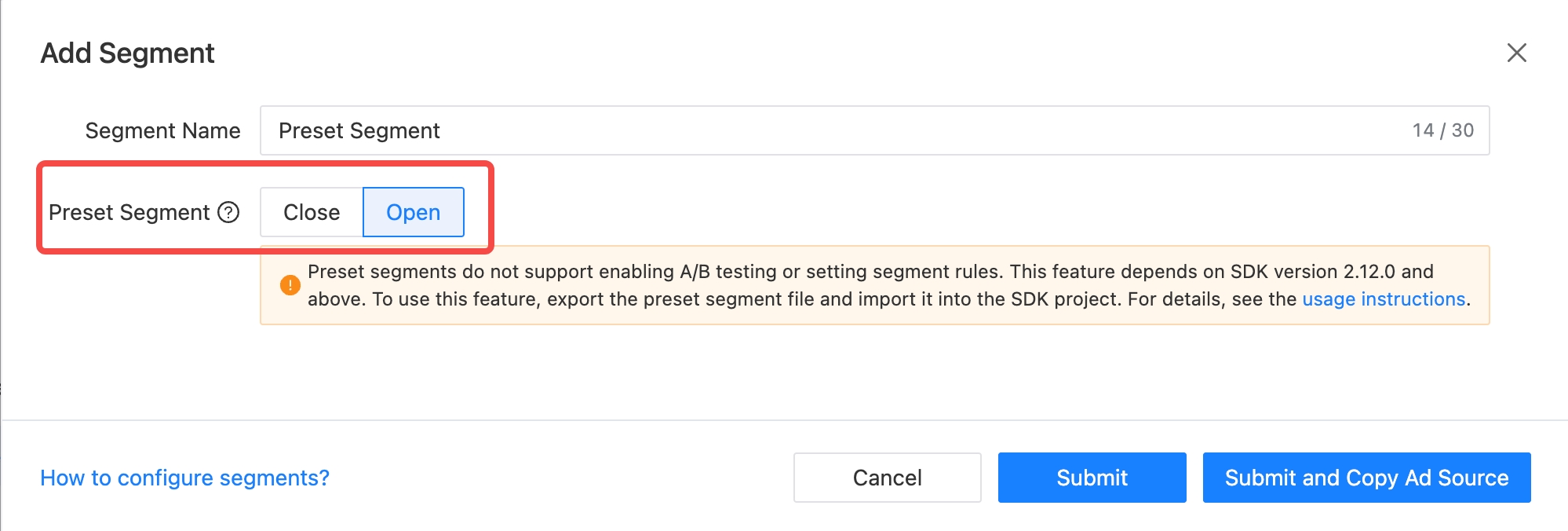
添加分组时,将预置分组开关开启后,即可创建预置分组。
When adding a group, turn on the preset group switch to create a preset group.
1.2 在预置分组中配置瀑布流
Configure waterfall flow in preset group
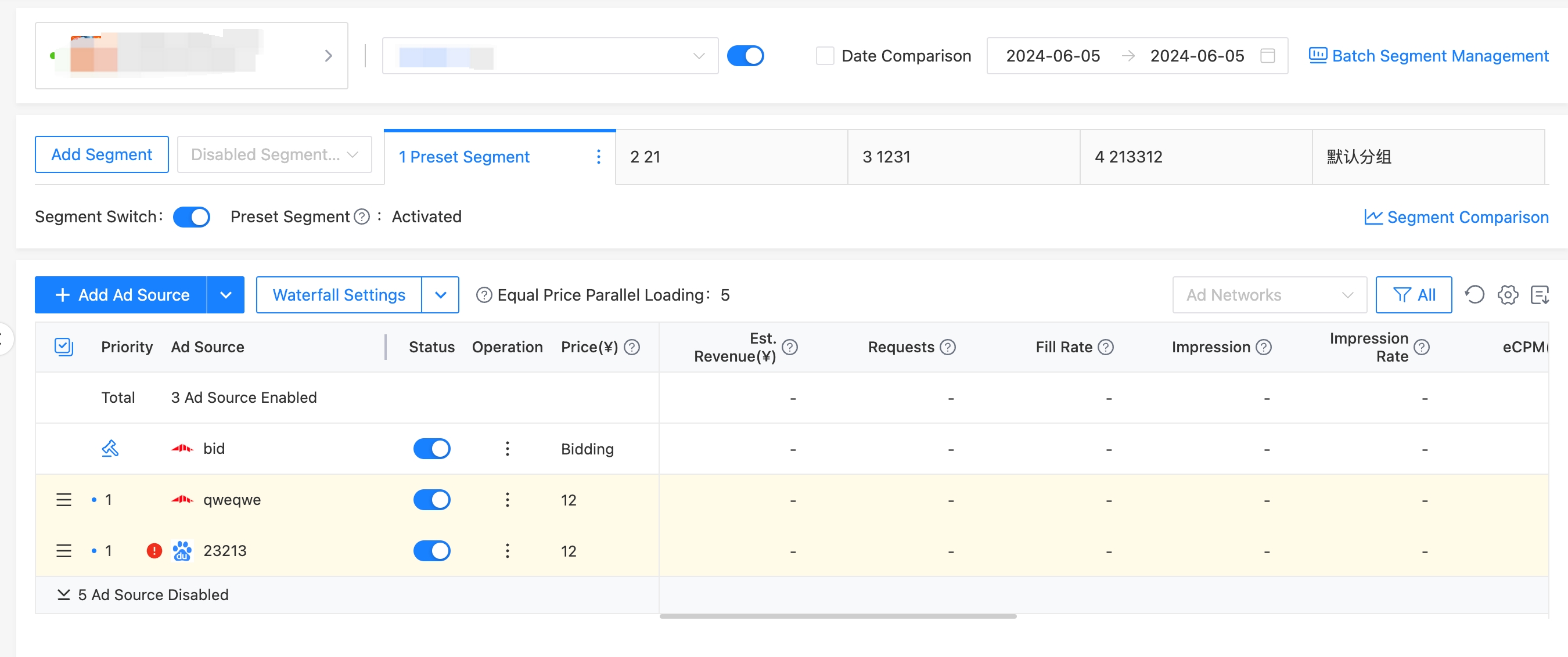
预置分组创建完成后,需要根据运营经验配置预置分组的瀑布流配置。由于预置分组追求加载速度,建议广告源不要设置过多。
After the preset group is created, you need to configure the waterfall flow configuration of the preset group based on operational experience. Because the preset group pursues loading speed, it is recommended not to set too many ad sources.
1.3 导出预置分组文件
Export preset group files
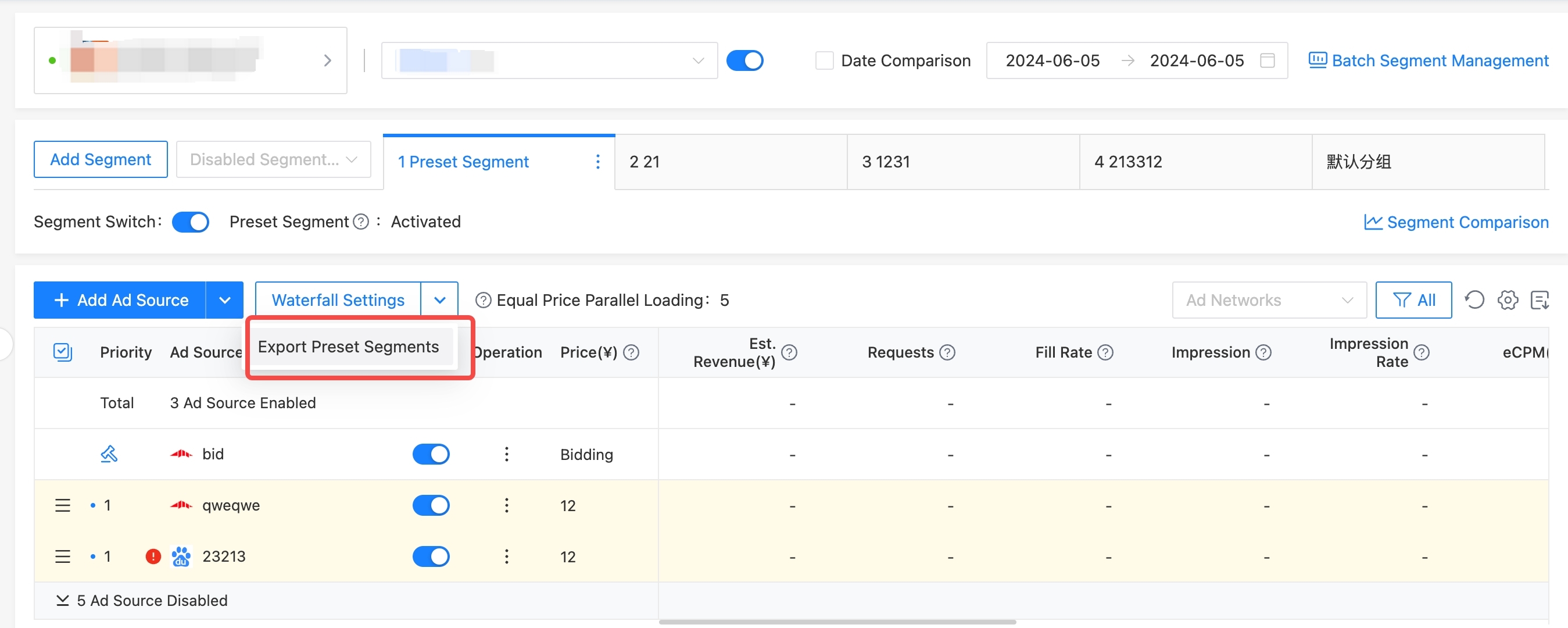
配置完成预置分组的瀑布流后,需要导出预置分组的瀑布流文件。
After configuring the waterfall flow of the preset group, you need to export the waterfall flow file of the preset group.
1.4 使用 ToBid SDK 调用预置分组
Use ToBid SDK to call preset groups
iOS
- 将从后台导出的.pb文件引入到工程项目中
Import the .pb file from the background into the project - 在发起加载广告之前调用 setPresetPlacementConfigPathBundle: API进行设置即可,参数
Bundle是第一步.pb文件引入工程所在的Bundle。示例代码如下:
Before launching ad loading, call the setPresetPlacementConfigPathBundle: API to set it. The parameterBundleis the bundle where the .pb file is imported into the project in the first step. The sample code is as follows:
// 根据.pb文件引入到工程对应Bundle来传入,示例中使用为mainBundle
[WindMillAds setPresetPlacementConfigPathBundle:[NSBundle mainBundle]];
Android
- 在项目的 src/main/assets 目录下新建一个目录 localStrategy,目录命名规则可以自定义,用于以下的步骤。
Create a new directory localStrategy in the project's src/main/assets directory. The directory naming rules can be customized for the following steps. - 将从后台导出的pb文件放到刚新建的目录下 src/main/assets/localStrategy 。
Put the pb file exported from the background into the newly created directory src/main/assets/localStrategy. - 只需要在发起加载广告之前调用方法WindMillAd.sharedAds().setLocalStrategyAssetPath(this, "localStrategy")进行设置即可,参数Path是第一步新建的目录名称localStrategy。示例代码如下:
Just call the method WindMillAd.sharedAds().setLocalStrategyAssetPath(this, "localStrategy") to set it before loading ads. The parameter Path is the name of the new directory localStrategy created in the first step. The sample code is as follows:
WindMillAd ads = WindMillAd.sharedAds();

ads.setLocalStrategyAssetPath(this, "localStrategy");

ads.startWithAppId(this, appId);
Unity/Flutter
Android
- 在项目的 src/main/assets 目录下新建一个目录 localStrategy,目录命名规则可以自定义,用于以下的步骤
Create a new directory localStrategy in the project's src/main/assets directory. The directory naming rules can be customized for the following steps - 将从后台导出的pb文件放到刚新建的目录下 src/main/assets/localStrategy
Put the pb file exported from the background into the newly created directory src/main/assets/localStrategy
iOS
- 在项目的新建一个 Bundle,将 Bundle名称定义localstrategy,目录命名规则可以自定义
Create a new Bundle in the project, define the Bundle name as localstrategy, and the directory naming rule can be customized - 将从后台导出的pb文件放到bundle下面。
Put the pb file exported from the background under the bundle.
在调用加载广告前,调用 WindmillAd.setPresetLocalStrategyPath设置预置策略目录,iOS要求调用初始化前Before calling load ads, call WindmillAd.setPresetLocalStrategyPath to set the preset strategy directory. iOS requires calling WindmillAd.setPresetLocalStrategyPath before initialization.
//Tobid 预置策略目录设置 ios: bundle文件名称,android: assets下的目录名称
var path = Platform.isIOS? "localstrategy":"localStrategy";
WindmillAd.setPresetLocalStrategyPath(path);