自定义广告网络
Custom Network
ToBid 现已支持并且将持续更新主流广告网络。开发者可以通过自定义广告网络功能将 ToBid 暂未支持的广告网络添加到 ToBid 进行使用。 自定义广告网络需要 ToBid SDK 版本>= 2.0.0。SDK 实现可参考Demo。
ToBid currently supports and will continue to update mainstream ad networks. Developers can add ad networks that ToBid does not support to ToBid through the custom ad network function. Custom ad networks require ToBid SDK version >= 2.0.0. For SDK implementation, please refer toDemo。 .
平台操作指南
Platform Operation Guide
自定义广告网络功能依赖 SDK 2.0.0 版本。若开发者需要使用请联系 ToBid 商务开通权限。 开发者按照 SDK 自定义广告网络接入说明完成SDK 接入后,仅需以下三步即可完成平台设置并正常使用自定义广告网络。
The custom ad network function depends on SDK version 2.0.0. If developers need to use it, please contact ToBid Business to open permissions. After the developer completes SDK access according to the SDK custom ad network access instructions, only the following three steps are needed to complete the platform settings and use the custom ad network normally.
1.创建自定义广告网络
Create a custom ad network
当开发者的ToBid 账号开通权限后,可以在【聚合管理】-【广告网络】页面看到管理自定义广告网络按钮。
After the developer's ToBid account has been authorized, the Manage Custom Ad Network button can be seen on the [Aggregation Management] - [Ad Network] page
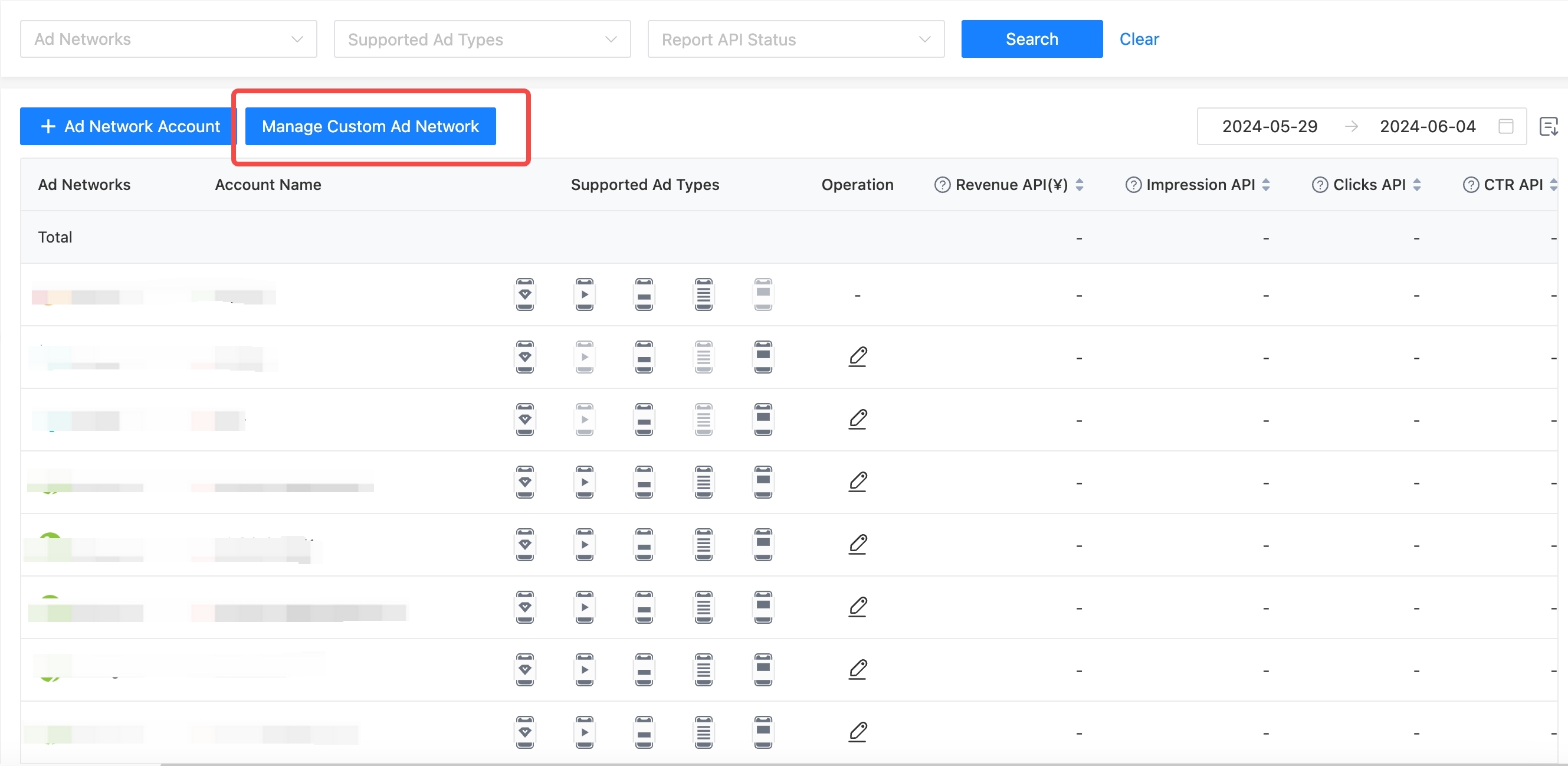
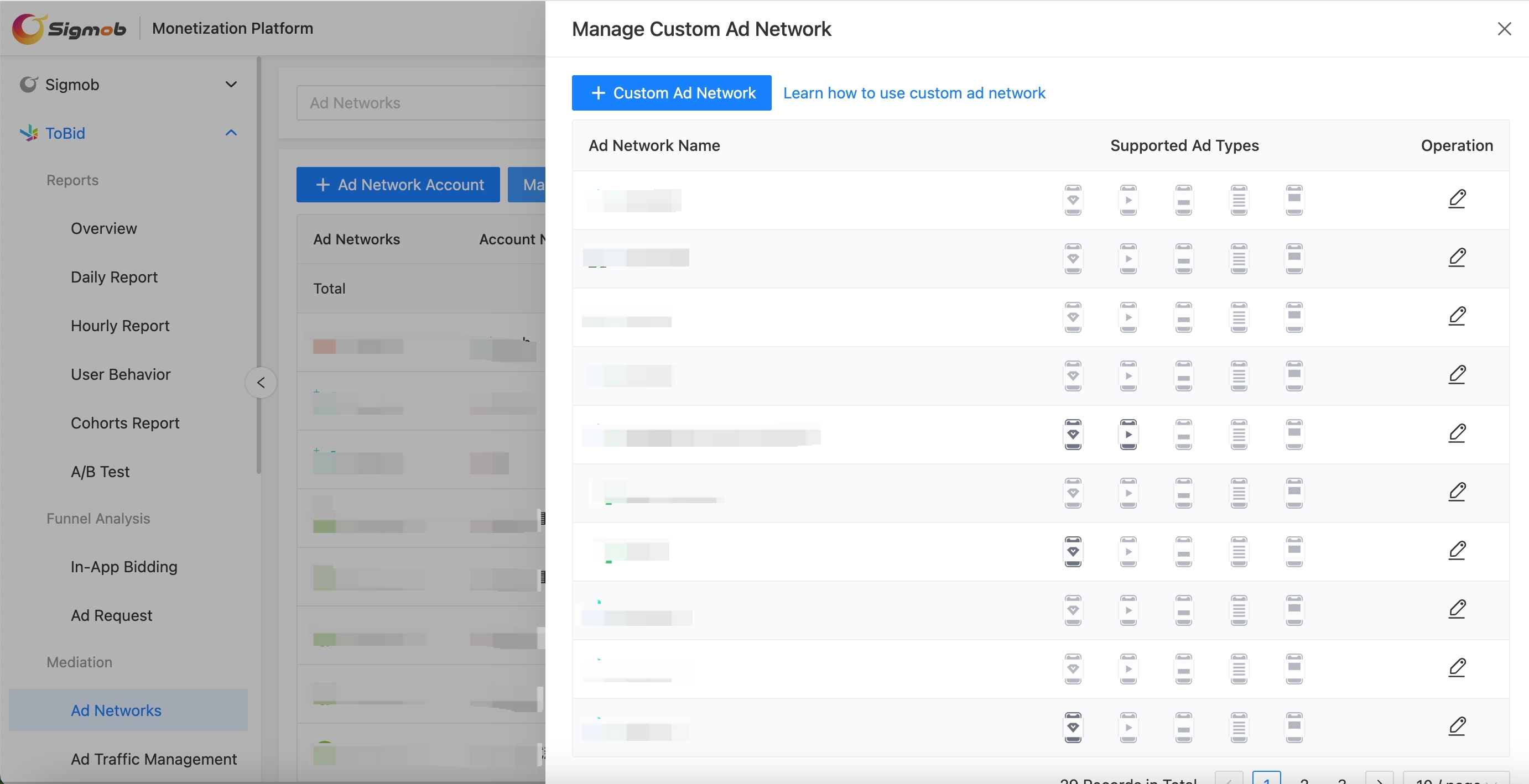
点击按钮进入到自定义广告网络管理页面,点击左上角的添加自定义广告网络按钮即可打开新建广告网络页面。已经建好的广告网络也将显示在此页面。
Click the button to enter the custom ad network management page. Click the Add Custom Ad Network button in the upper left corner to open the New Ad Network page. Already created ad networks will also be displayed on this page.
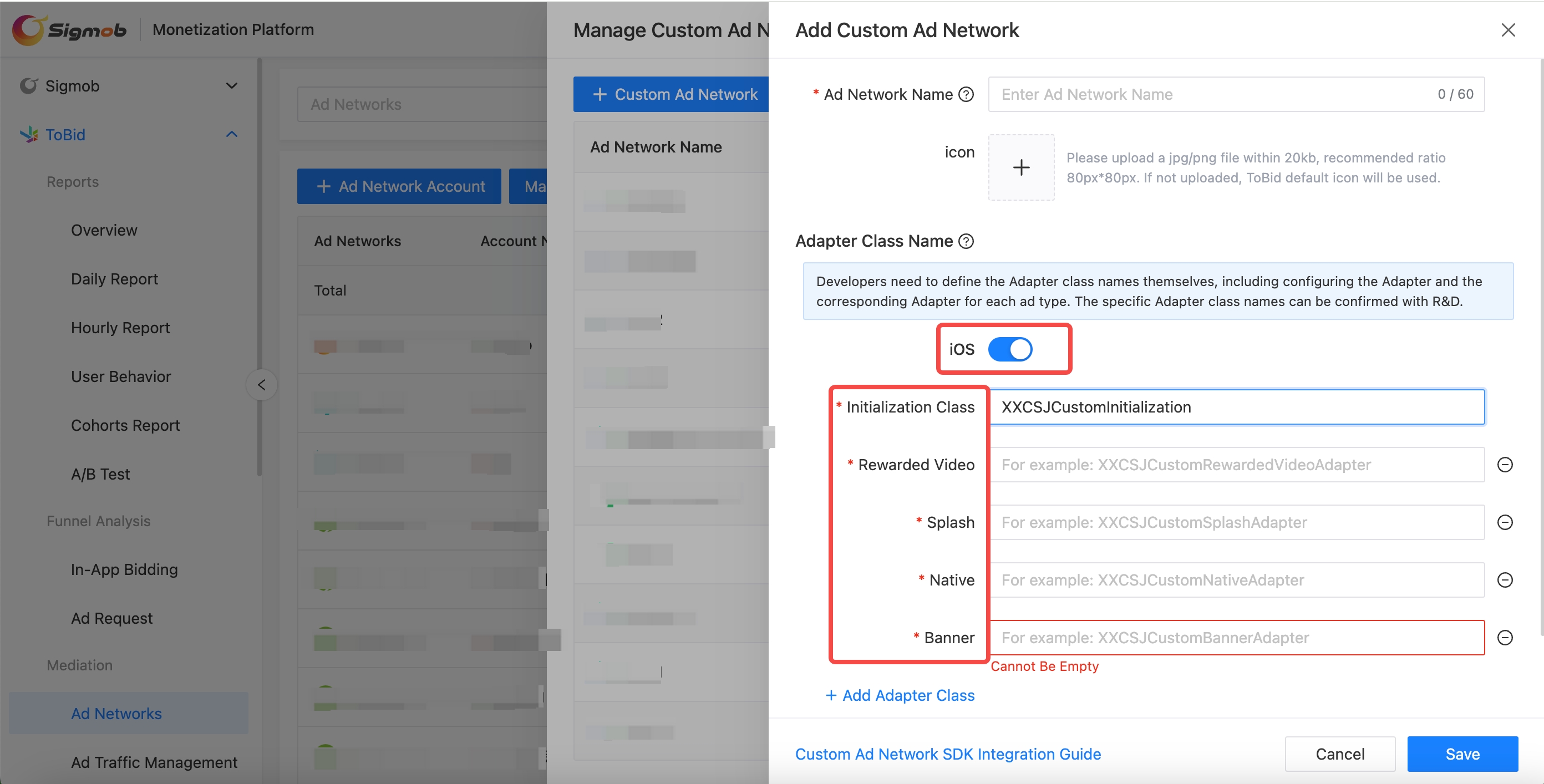
点击添加自定义广告网络按钮,在打开的页面里开发者填写自定义广告网络的相关信息后点击保存,即可完成自定义广告的新建。
Click the Add Custom Ad Network button. On the page that opens, fill in the relevant information of the custom ad network and click Save to complete the creation of the custom ad.
⚠️注意:安卓需要填写类的全路径 ⚠️Note : Android requires the full path of the class to be filled in
返回自定义广告网络管理页面也可看到建立好的广告网络。
You can also return to the custom ad network management page to see the established ad network.
2.创建自定义广告网络的账号
Create a custom ad network account
在用户建立好广告网络后,在【聚合管理】-【广告网络】页面点击 +广告网络账号 按钮,在广告网络筛选器中即可看到新建的广告网络。开发者可选中自定义广告网络并为其建立账号。
After the user has established an ad network, click the +Ad Network Account button in the [Aggregation Management]-[Ad Network] page, and the newly created ad network will be visible in the ad network filter. Developers can select a custom ad network and create an account for it.
3.创建自定义广告网络的参数
Create custom ad network parameters
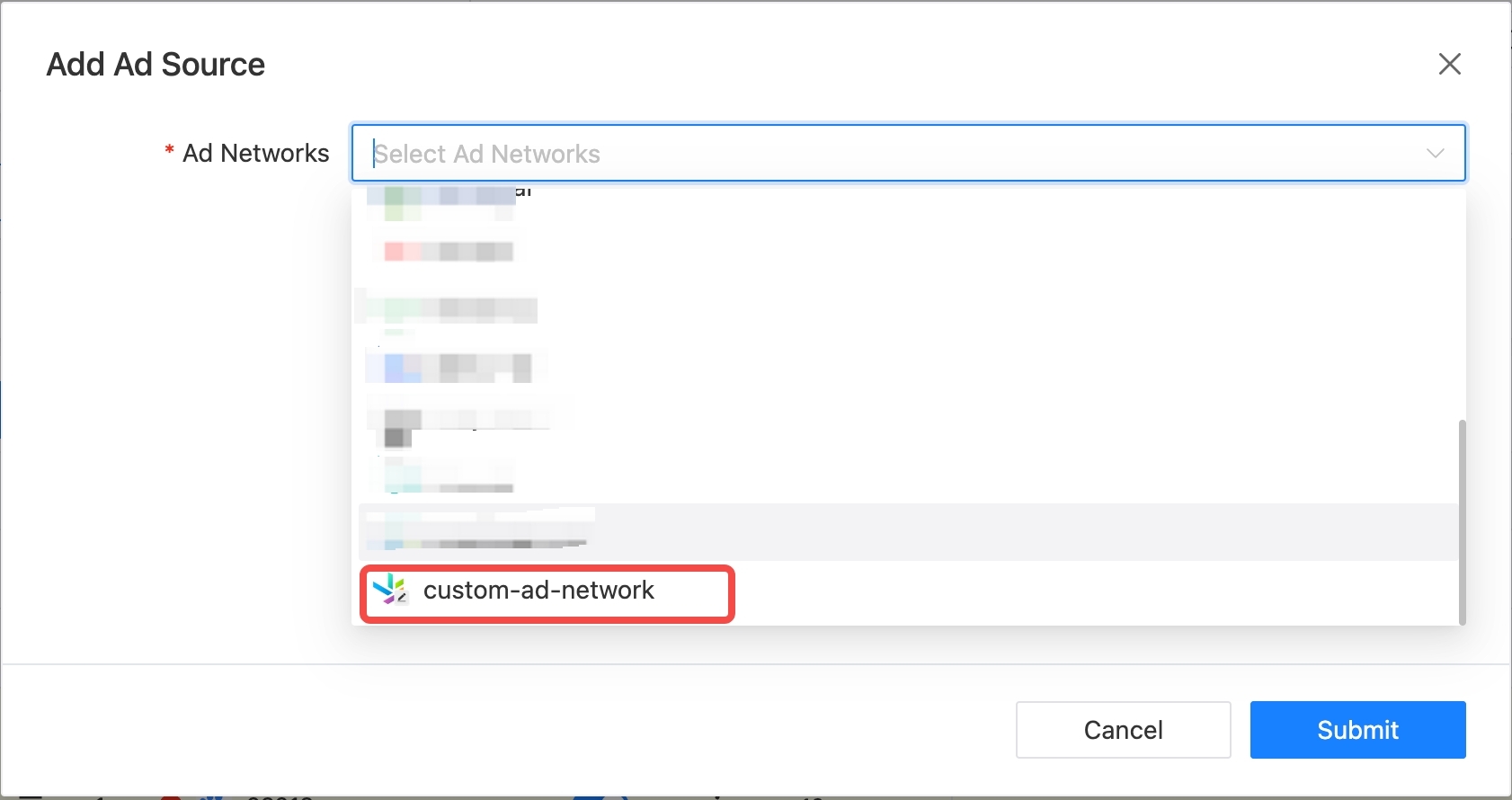
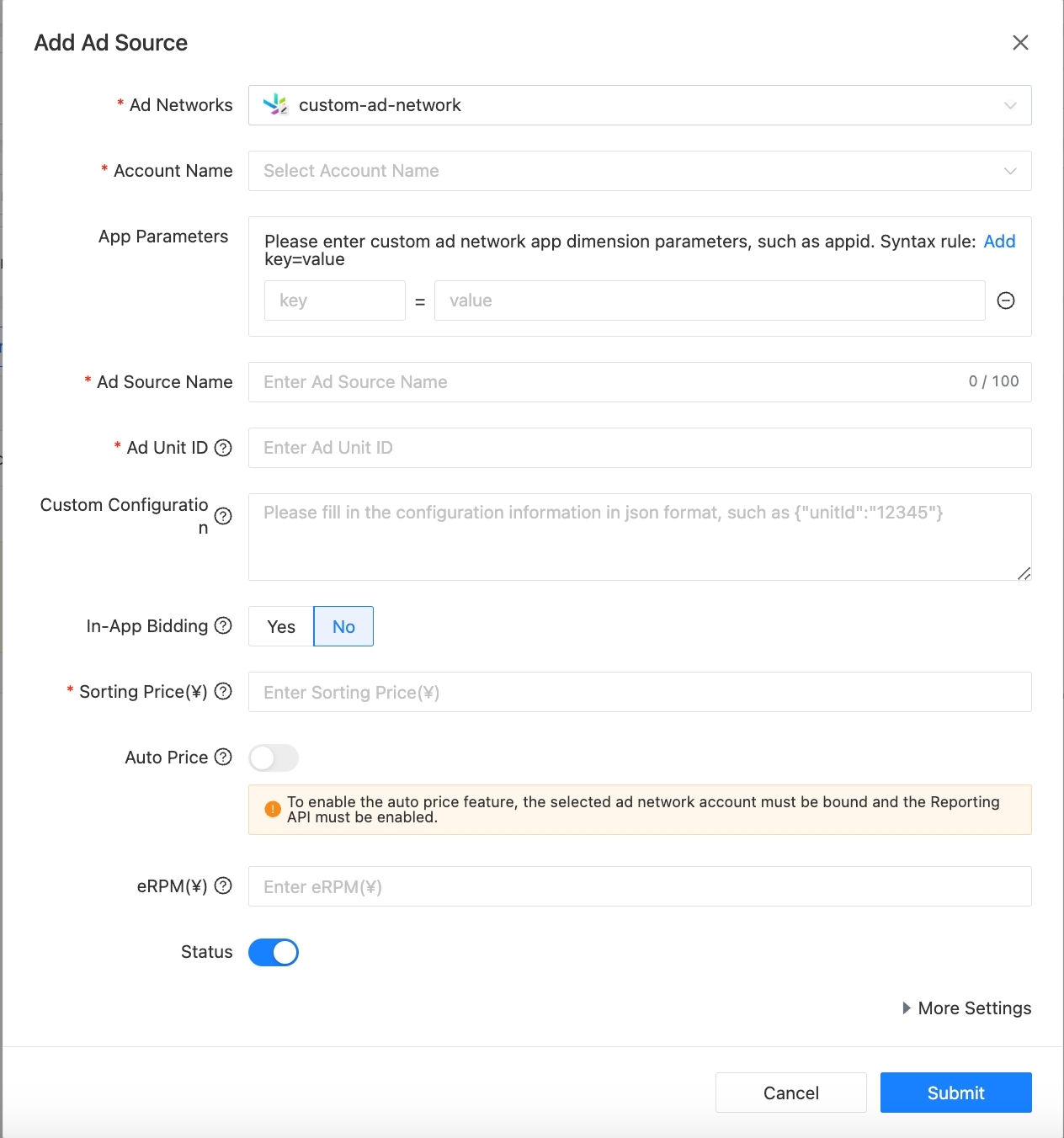
在瀑布流页面或【聚合管理】-【聚合广告位】-【广告源管理】页面,点击 添加广告源按钮就可以选择自定义广告网络进行参数的创建。若无自定义广告网络的应用维度参数,可直接填写广告源维度信息。
On the waterfall page or [Aggregation Management] - [Aggregation Ad Position] - [Ad Source Management] page, click the Add Ad Source button to select a custom ad network to create parameters. If there are no application dimension parameters for a custom ad network, you can directly fill in the ad source dimension information.
填写自定义广告网络的代码位维度参数。这里为避免开发者重复添加相同代码位导致收益损失,开发者可填写广告请求的代码位进行进行唯一性校验。注意,此代码位信息仅辅助开发者去重判断,开发者可自定唯一标识符。实际的广告请求代码位需要放在自定义配置信息中传入。
Fill in the code bit dimension parameters of the custom ad network. To avoid developers adding the same code bit repeatedly and causing revenue loss, developers can fill in the code bit of the ad request for uniqueness verification. Note that this code bit information only assists developers in deduplication judgment, and developers can customize unique identifiers. The actual ad request code bit needs to be passed in the custom configuration information.
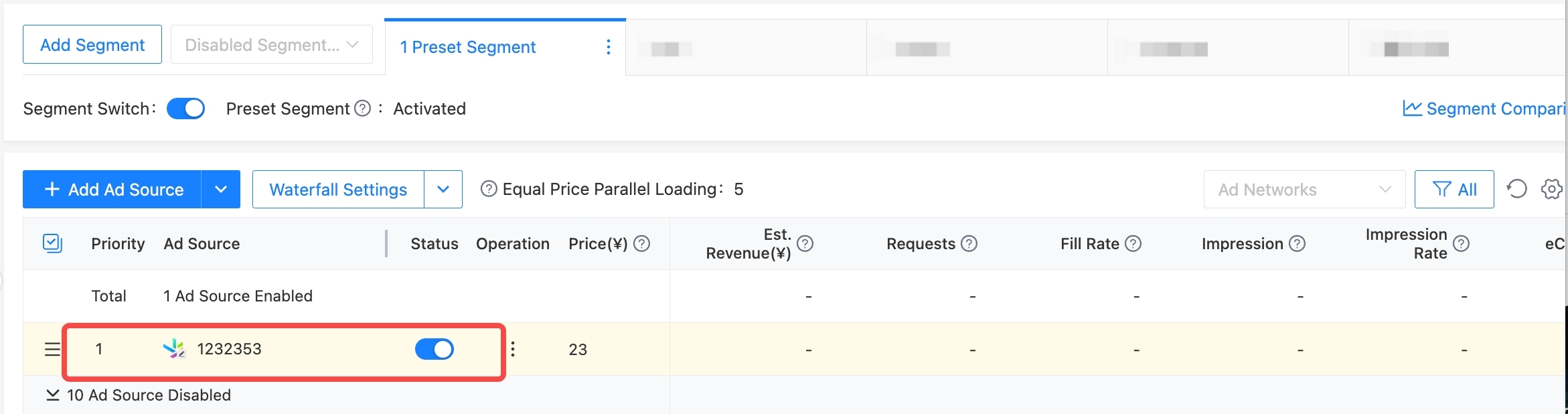
至此,自定义广告网络的参数就可以在瀑布流中展示和下发SDK 。
At this point, the parameters of the custom ad network can be displayed in the waterfall flow and sent to the SDK.
SDK 接入说明
SDK Access Instructions
自定义广告网络需要 ToBid SDK 版本>= 2.0.0。SDK 实现可参考Demo。
Custom ad networks require ToBid SDK version >= 2.0.0. For SDK implementation, please refer toDemo。.
iOS
参考iOS SDK 接入文档
Refer to iOS SDK access documentation
Android
参考 Android SDK 接入文档
Refer to the Android SDK access documentation