Request Mode
1. How to select request mode
After selecting the app and ad slot in "Waterfall Management", click on "Waterfall Settings" on the page to enter the waterfall settings page.
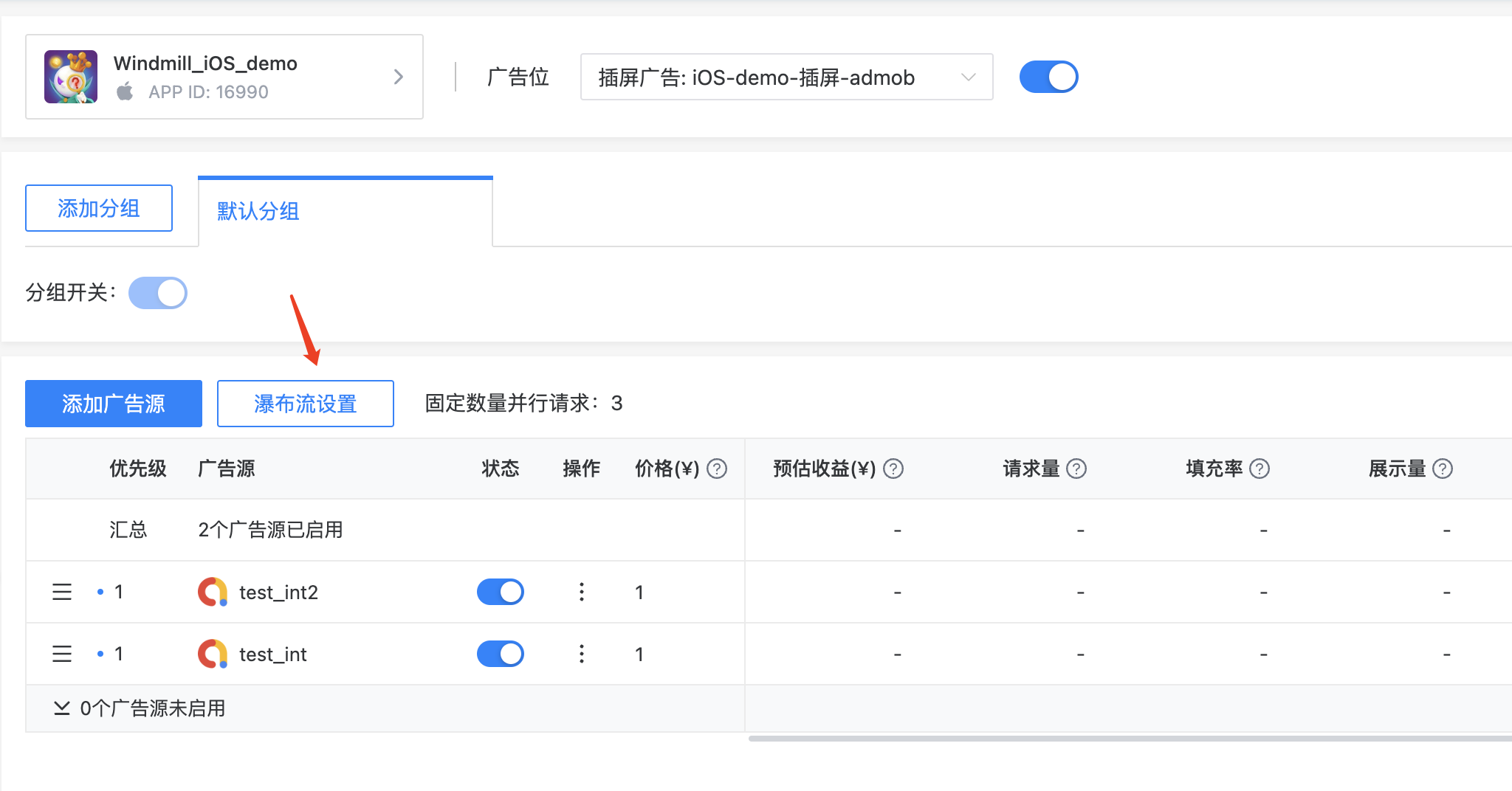
On this page, you can select and modify the request mode and timeout duration.
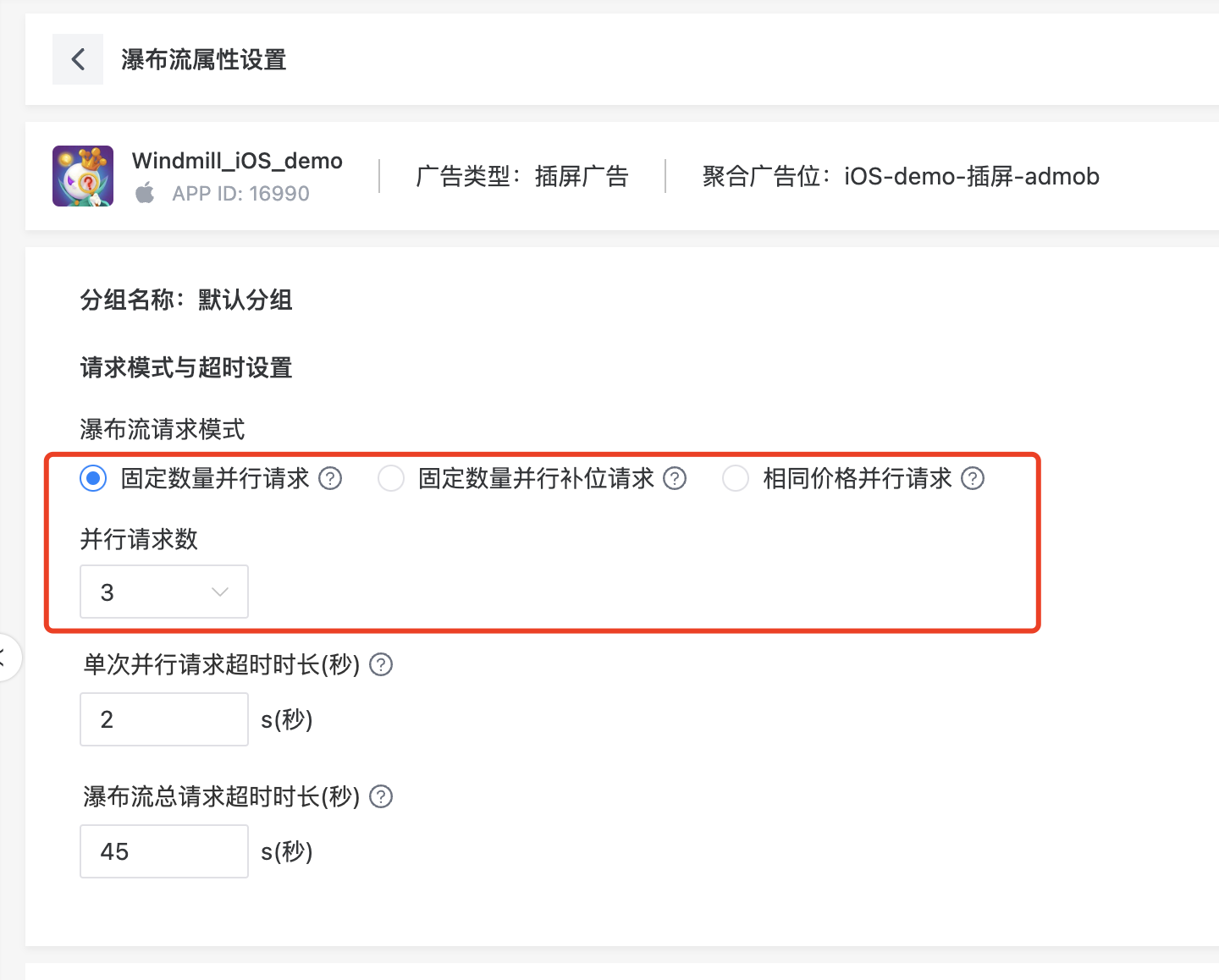
2. Request Mode Explanation
The system provides three request modes for developers to choose from.
2.1 Equal Price Parallel Loading
In the advertising industry, bidding prices among different advertising platforms may be similar. Therefore, by setting up multiple advertising sources for parallel requests within the same price range, the exposure opportunities for valuable advertising sources can be increased.
- Use Case
When multiple advertising networks offer the same bid price, it is important to compare their differences in fill rate and fill speed.
- Advantages
By providing request opportunities to advertising sources with the same price range, developers can achieve higher value for each ad exposure.
- Please Note When Using
In the absence of the same price, it becomes a pure serial request, and if the waterfall hierarchy is excessively long, it will affect the request latency. In actual use, it is necessary to consider the traffic characteristics and advertising scenarios of the product. If the advertising scenarios are dense, it is recommended to conduct A/B testing and select the optimal request mode based on the test results.
- Schematic Diagram of Request Logic
2.2 Fixed Number Parallel Loading
For some advertising sources with higher estimated eCPM, developers can manually set them into the same parallel group to ensure maximum exposure revenue within the current advertising opportunity.
- Use Case
Applicable to all scenarios, optimizing waterfall flow and request logic to maximize revenue.
- Advantages
Providing more advertising source request opportunities allows developers to achieve higher value for each ad exposure.
- Please Note When Using
Between each parallel group, requests are made sequentially, and the next group will only proceed after the previous group has received all the return results from the advertising sources. If the timeout setting for a single parallel group is too long, it will affect the overall waterfall request duration.
- Schematic Diagram of Request Logic
2.3Fixed Number Parallel Substitute Loading【Innovative Mode & Fast Fill】
In certain advertising scenarios, such as splash screens, developers need to ensure both rapid ad fill and high exposure revenue within a limited time frame. The fixed parallel fallback request mode introduced by tobid significantly improves fill rates while also ensuring exposure revenue, compared to traditional parallel request methods.
- Use Case
Scenarios requiring fast ad fill, such as splash screens and banners.
- Advantages
While balancing revenue, enhancing fill rates to meet the demands of high-frequency display/fast fill scenarios is crucial.
- Please Note When Using
Due to the need for fast fill, the priority of displaying an advertisement may not always be based on the current highest price when rapid display is required. Developers can flexibly choose this advertising request mode based on different monetization scenarios and test it through A/B testing.
- Schematic Diagram of Request Logic
3. Waterfall Request Timeout Duration
On the "Waterfall Settings" page, developers can configure the single request timeout duration and the total waterfall request timeout duration. 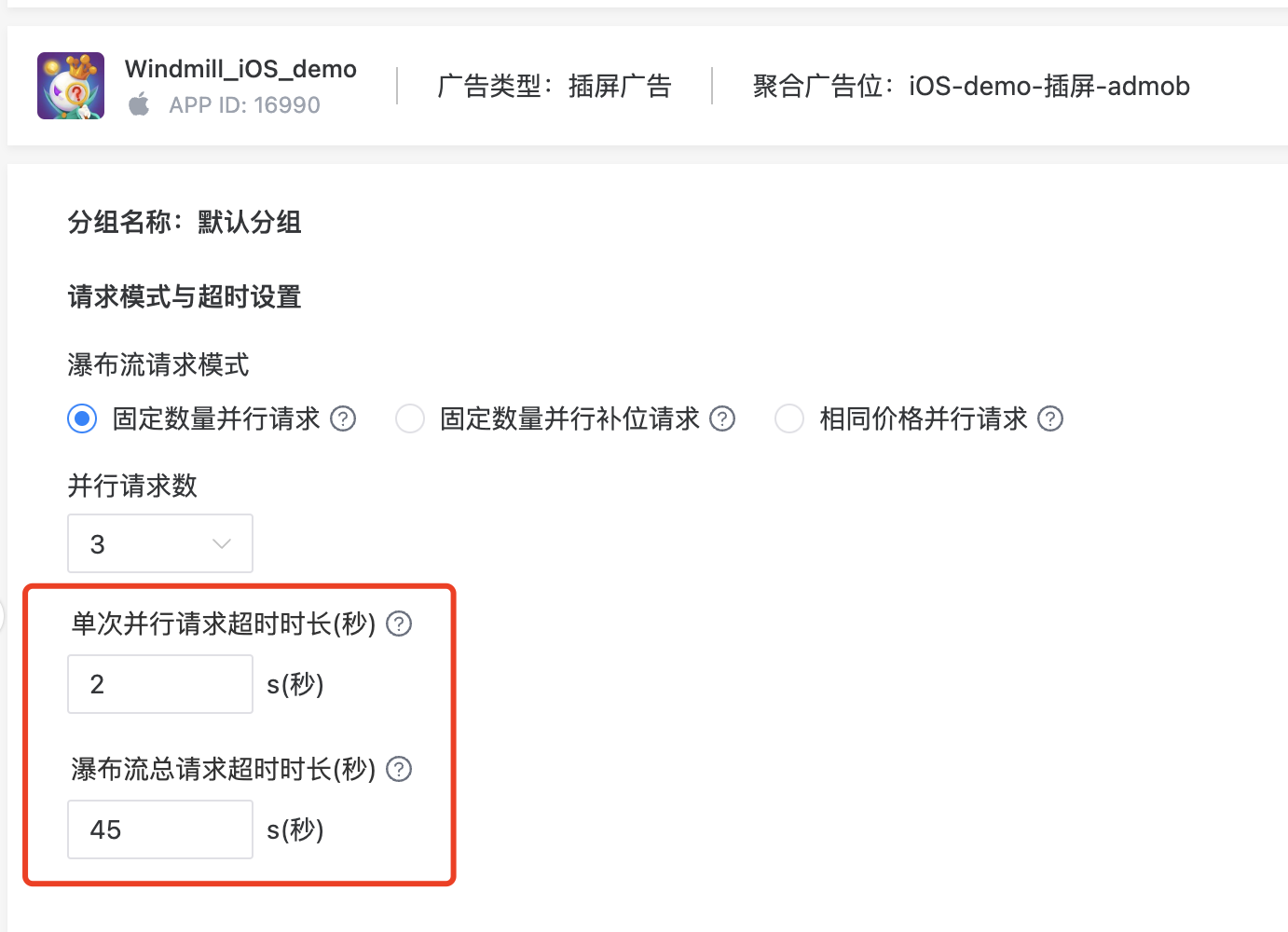
- Single Parallel Request Timeout Duration (seconds)
The maximum waiting time for ToBid to send requests to the waterfall layers of various advertising networks without any ad fill being returned.
- Total Request Timeout Duration of Waterfall (seconds)
The maximum waiting time after an app sends a request to ToBid without any ad fill being returned.
3.1 Recommended Setting for Request Timeout Duration
- Single Parallel Request Timeout Duration
| Ad Type | Set Range (Seconds) | Default Duration (Seconds)) |
|---|---|---|
| Reward Video | 2~10 | 3 |
| Interstitial Ad | 2~10 | 3 |
| Native Ad | 2~10 | 3 |
| Banner Ad | 2~10 | 2 |
- Total Request Timeout Duration of Waterfall
| Ad Type | Set Range (Seconds) | Default Duration (Seconds) |
|---|---|---|
| Reward Video | 20~300 | 45 |
| Interstitial Ad | 20~300 | 45 |
| Native Ad | 20~300 | 45 |
| Banner Ad | 2~30 | 10 |
| Ad Type | Set Range (Seconds) | Default Duration (Seconds) |
|---|---|---|
| Splash Ad | 1~5 | 5 |
4. Note
- The maximum number of parallel requests for the same price is limited to 5 levels. Advertising sources exceeding the maximum level will be requested individually.
- For parallel requests of the same price among advertising sources outside that price range, [a request mode with a parallelism of 1 will be used, i.e., purely serial requests].
- If multiple advertising sources return advertisements for parallel requests, they will ultimately be sorted based on the ranking prices filled in the waterfall. The advertising source with the highest price will be selected for priority display.