Creating Third-Party Ad Source
1. Batch Creation of Ad Sources
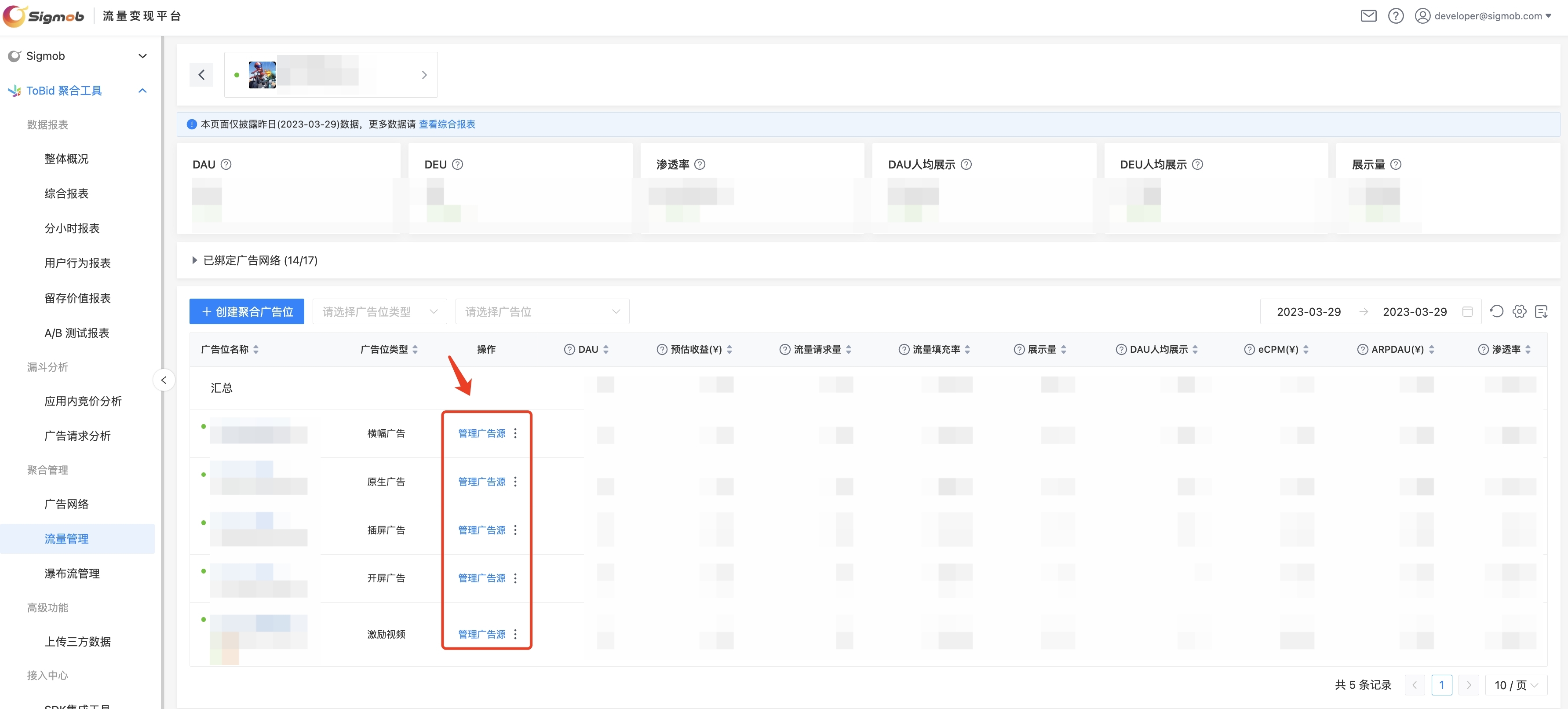
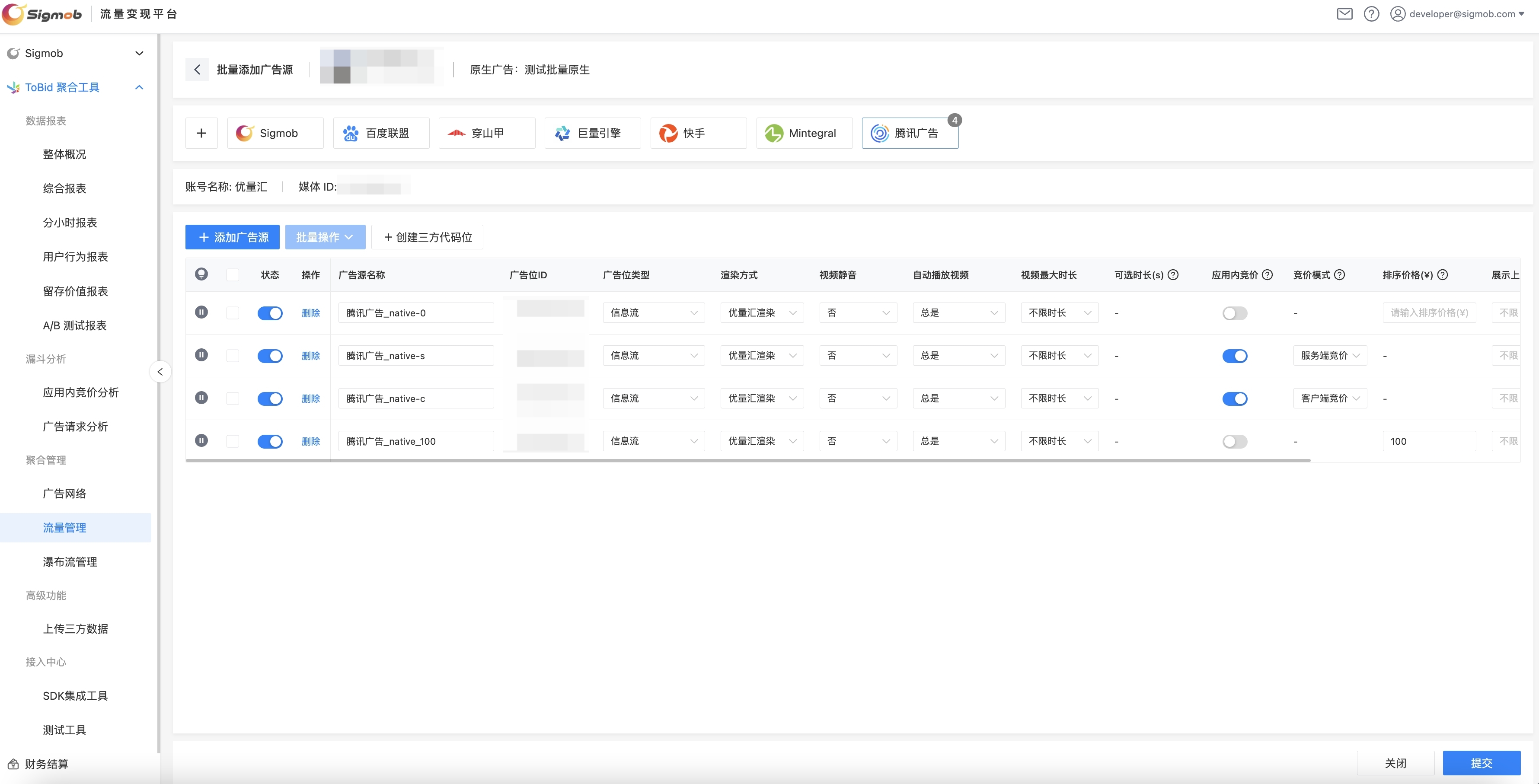
On the "Traffic Management" - "Manage Ad Sources" page, developers can batch create advertising sources for various advertising networks on the ToBid platform.
- Under "Traffic Management", click to enter the "Manage Ad Sources" page.
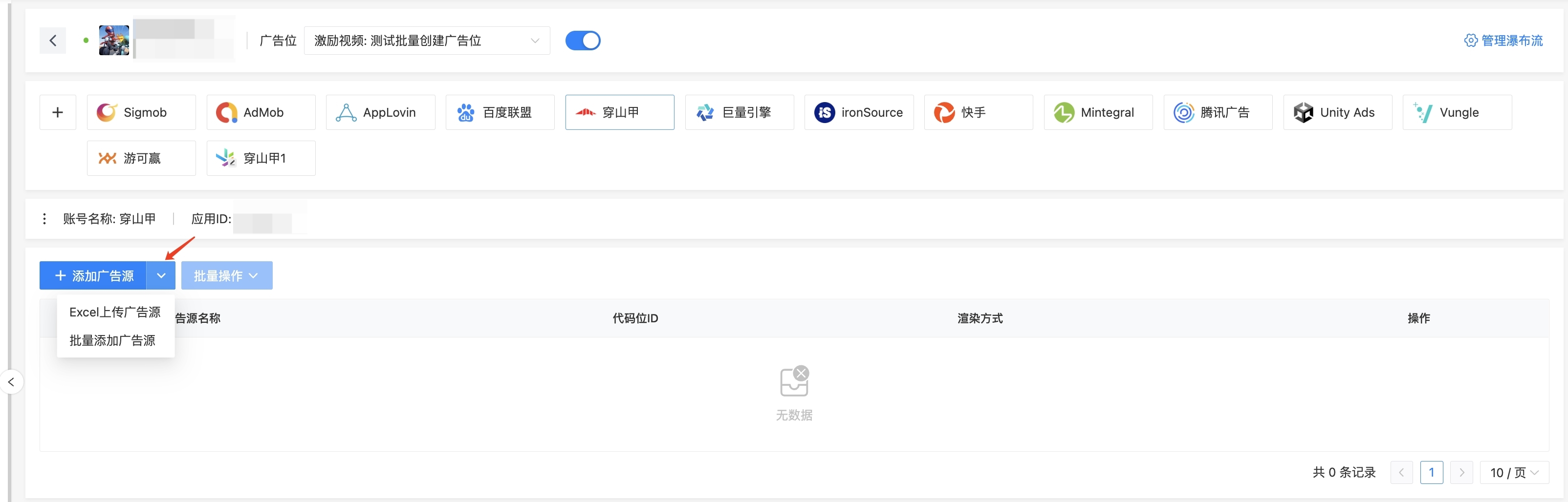
- After selecting an ad network, you can choose to upload an Excel file or manually create to batch create advertising sources.
1.1 Uploading Ad Sources via Excel
- Click on "Upload via Excel" to download the platform's pre-fabricated template sheet.
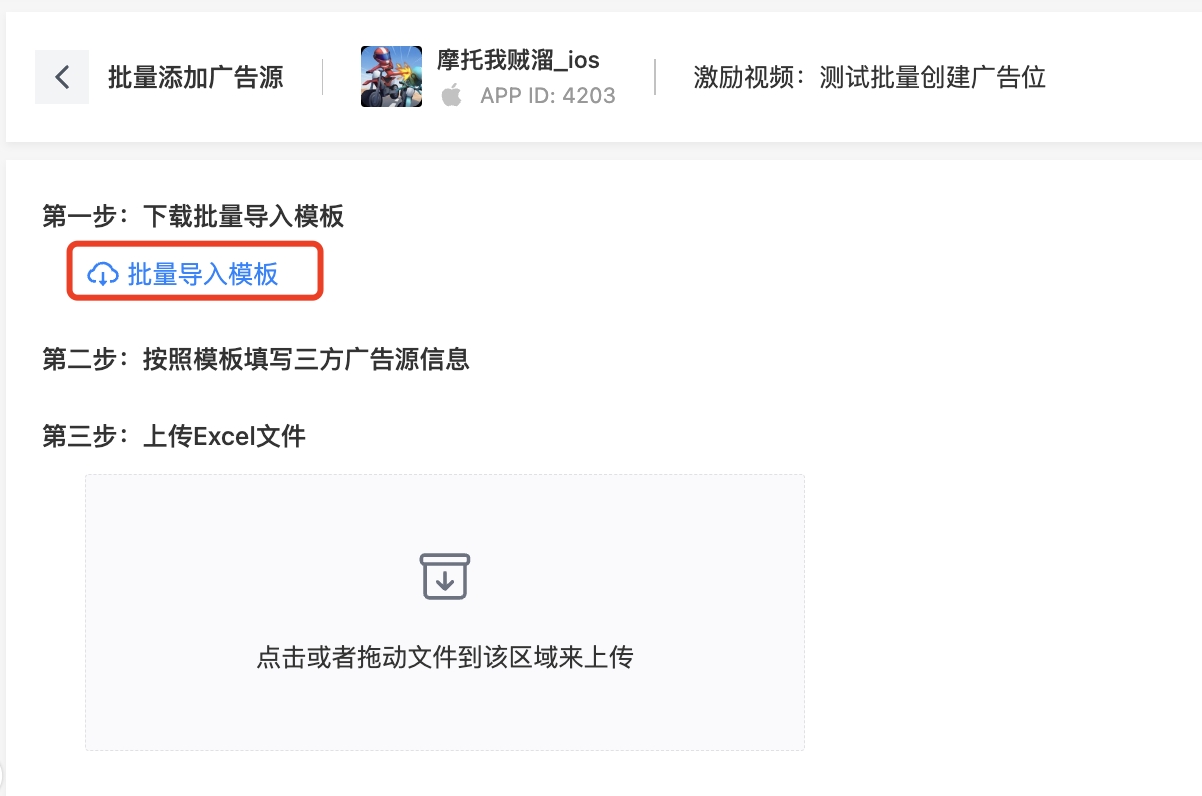
- The template sheet includes all the bound "ad Networks" under the "Current tobid placement" and the required parameter configurations for that "Ad Format." The mandatory fields in the sheet include Ad Source Name, Third-party Ad Slot ID, Sorting Price, etc. If other parameters are not filled in, the platform will automatically populate default values after uploading the sheet.
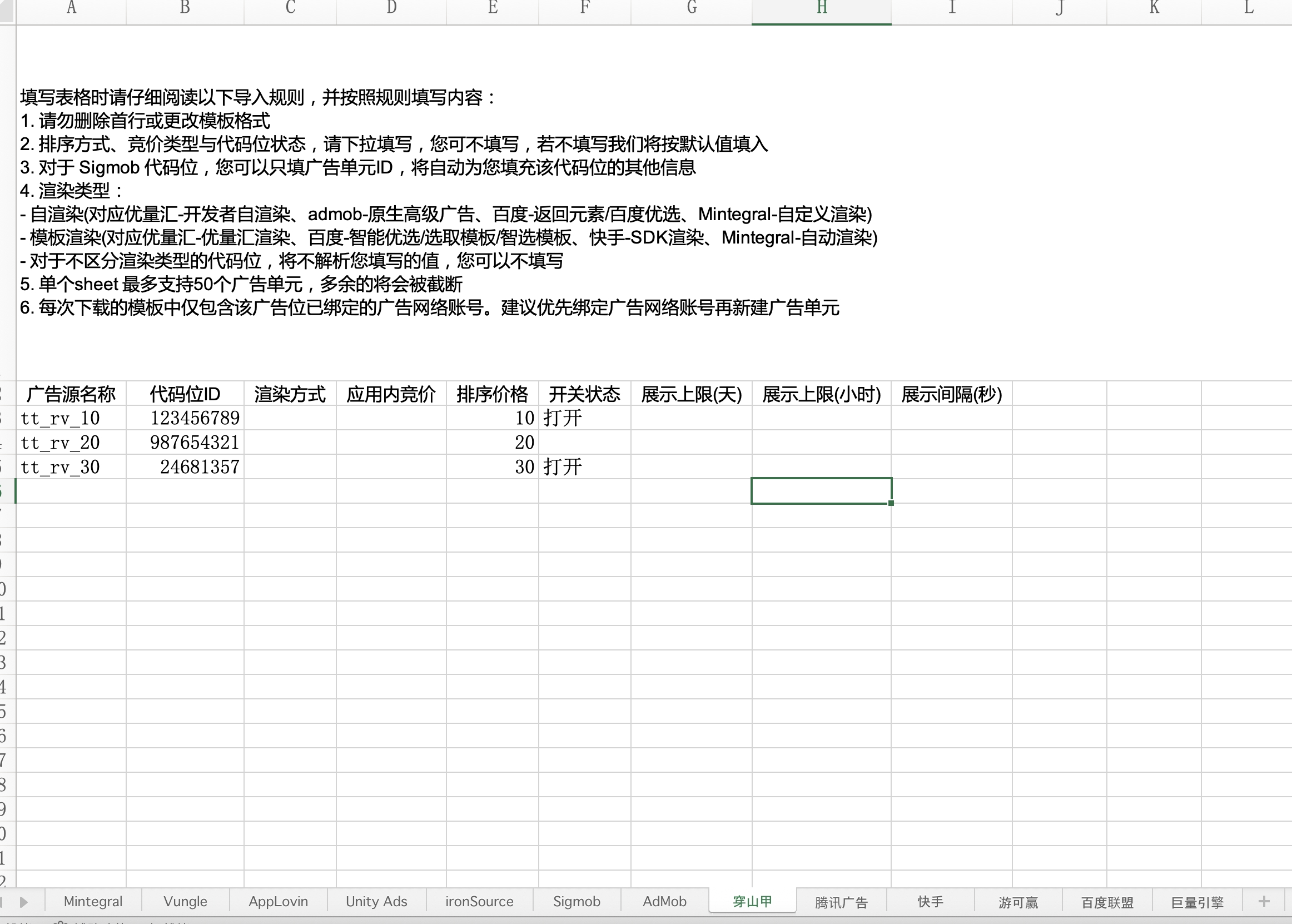
- After saving, drag the template sheet into the platform, and the platform will automatically parse the content of the sheet and populate default values for any missing entries.
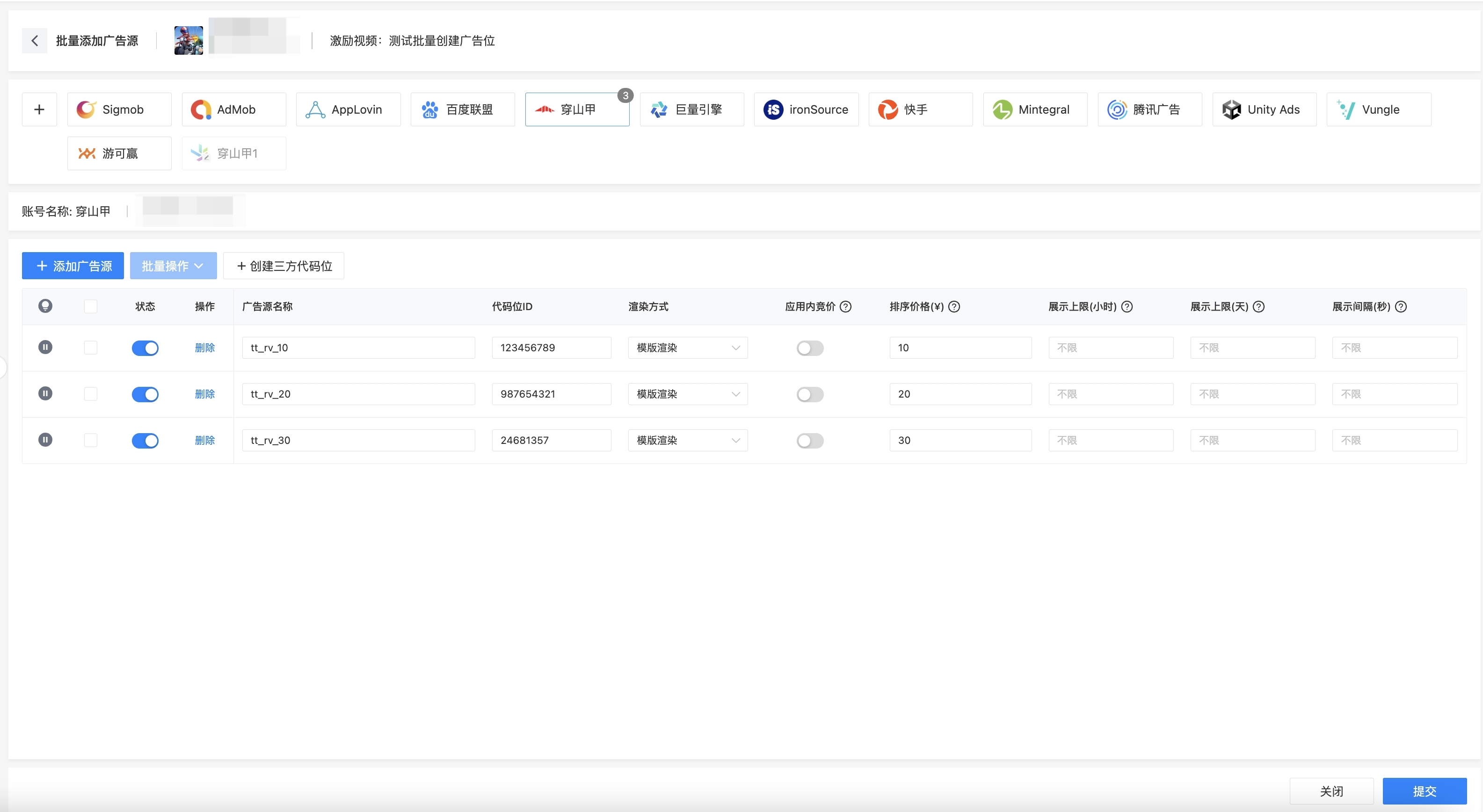
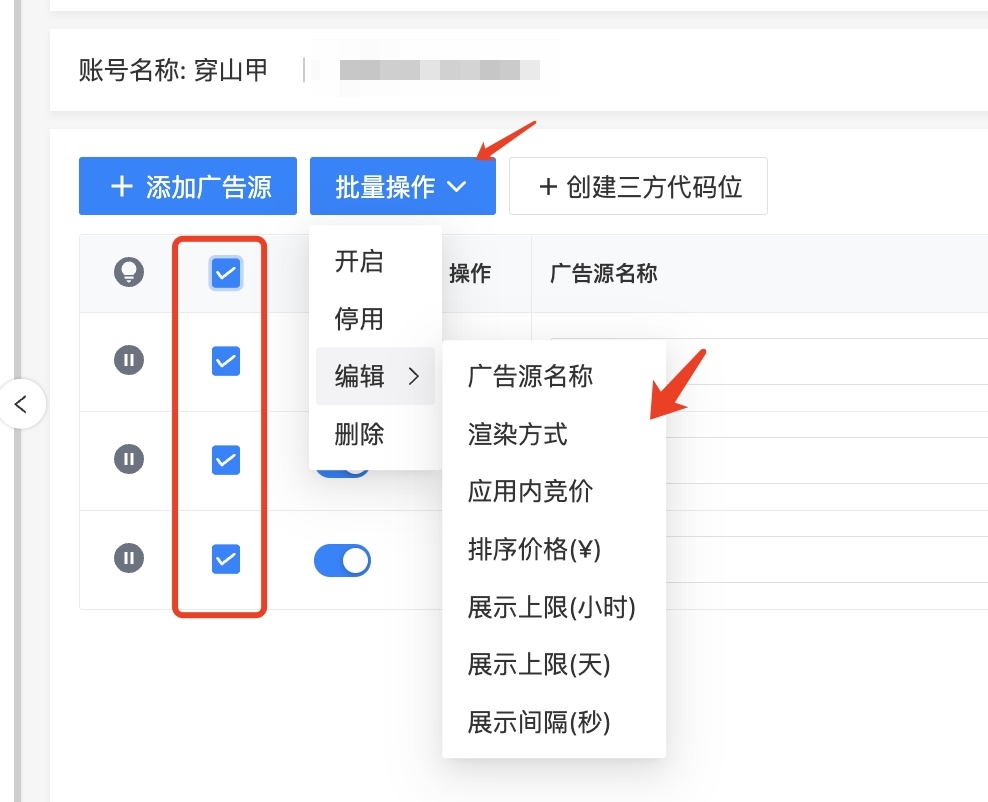
- To modify common properties such as render mode, mute switch, etc., in batches, you can select all or some of the advertising sources and make the changes through batch operations.
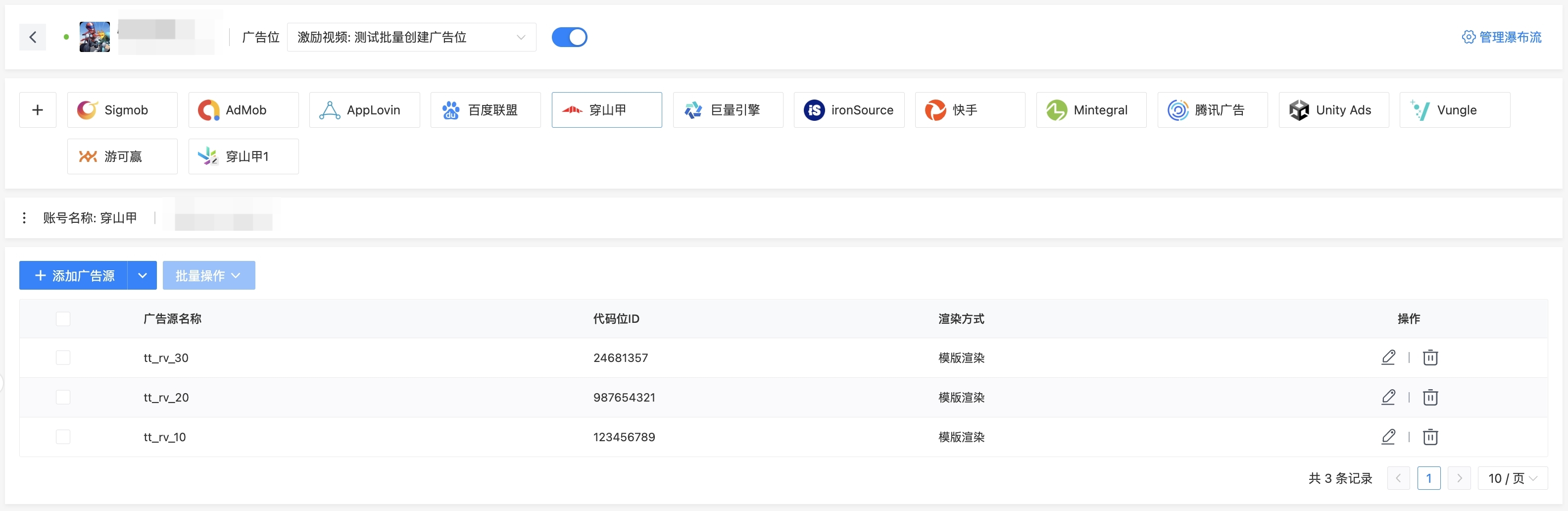
- After completing all operations, click "Submit" in the lower right corner to finish creating all advertising sources.
1.2 Manual batch creation
- Select "Batch ad Sources" to enter the manual creation page, then click "Add Advertising Source" to create multiple preset lists of advertising sources.
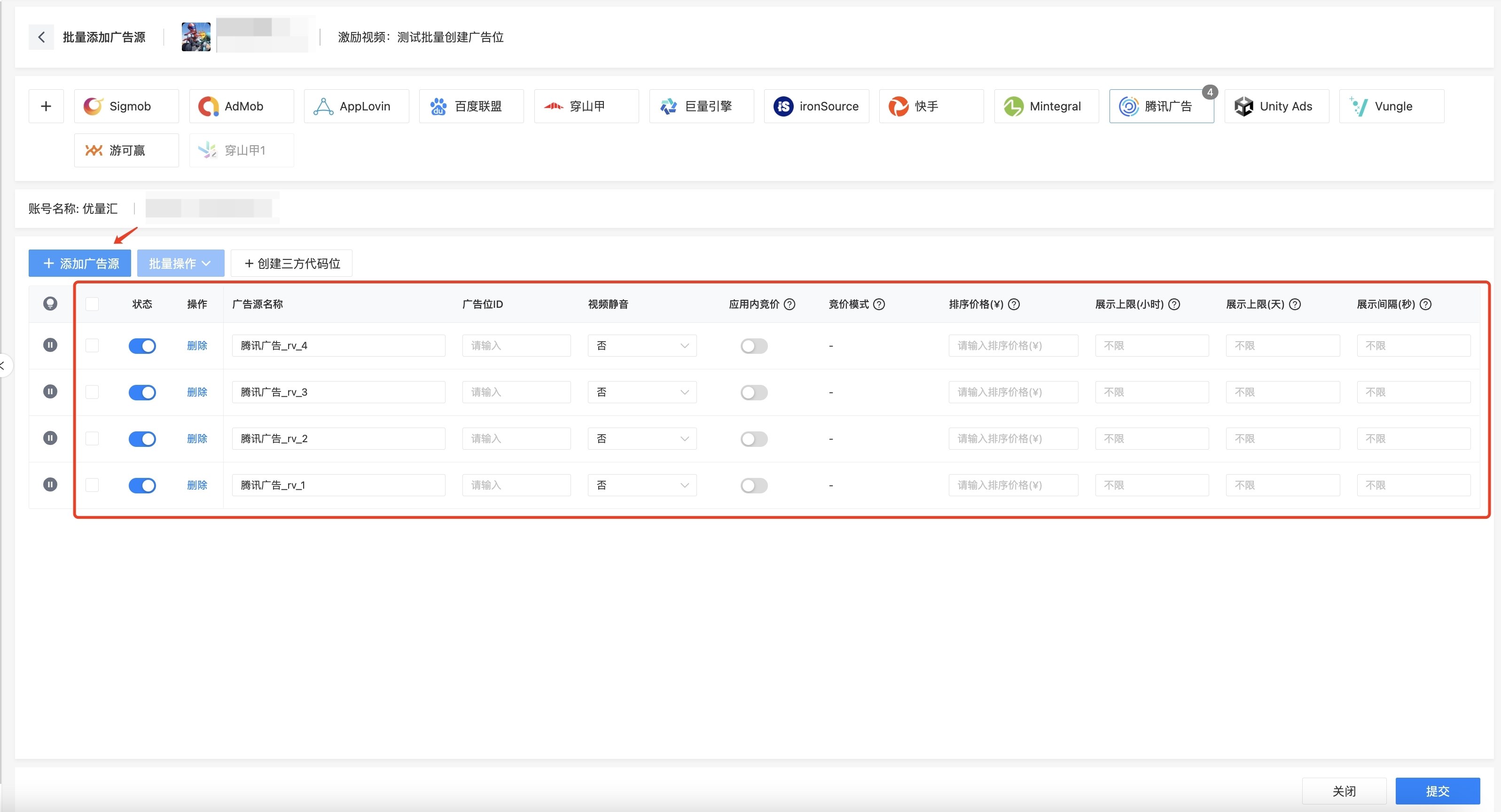
- Fill in the required parameters: Ad slot ID and Sort Price, and then submit.
2. Batch Creation of ad Sources
ToBid has now established API integrations with Tencent, CSJ, Kuaishou, Sigmob, Baidu and Mintegral. Developers can create floor price and bidding code placements for these five platforms in the ToBid backend with a single click, eliminating the need for manual operations. All required parameters can be created and filled in automatically, saving time and effort, and ultimately improving operational efficiency.
2.1 Preconditions
To directly create code placements for third-party platforms using API capabilities, it is necessary to enable the report API functionality of the corresponding platform. For the CSJ channel, additional API permissions to create code placements are required, and an application needs to be made with their business department.
2.2 Batch Creation of 3rd ad Sources
- In "Traffic Management", click to enter the "Manage ad Sources" page.
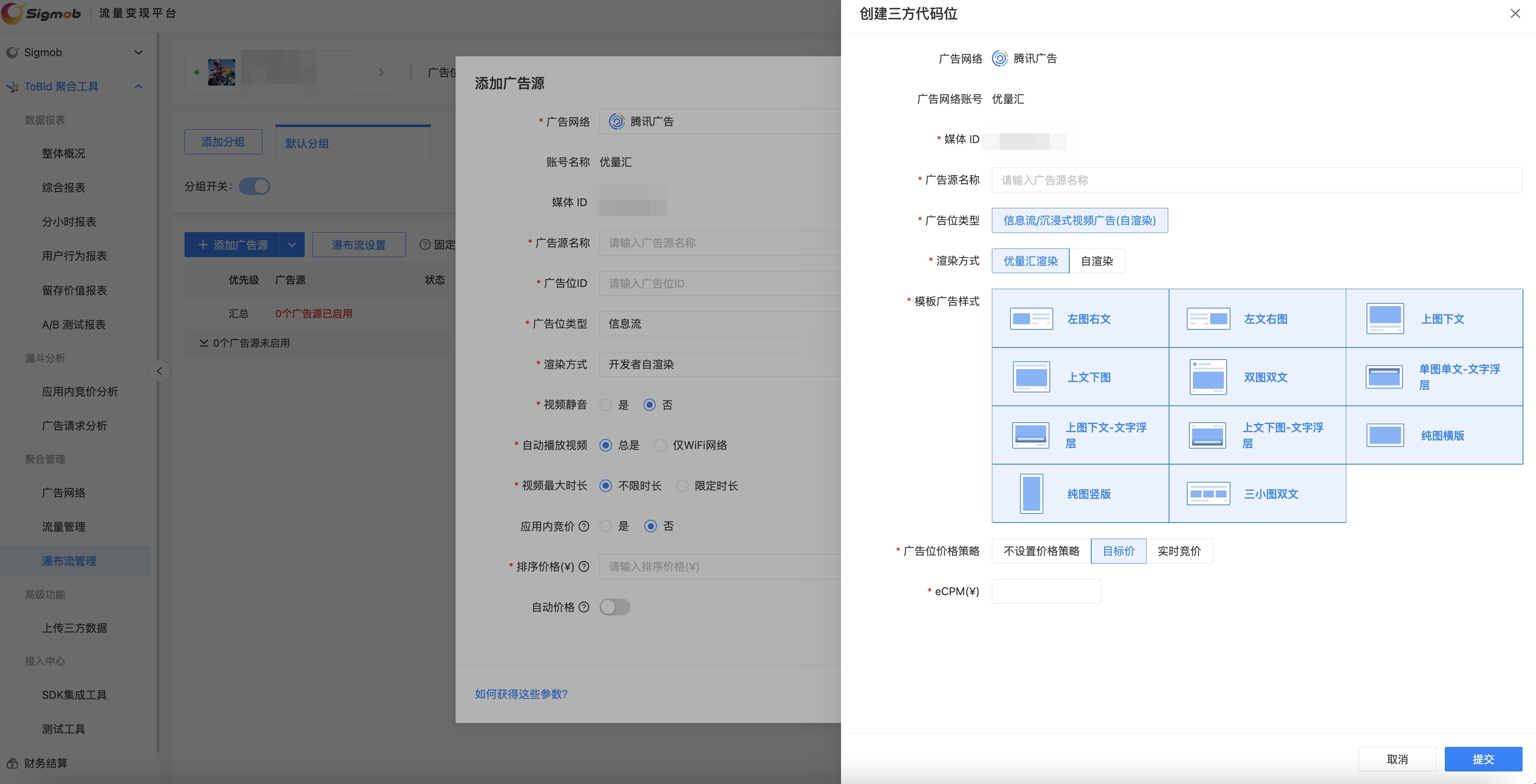
- Select "Batch Add Advertising Sources" to enter the batch creation page, click "+ Create Third-party Code Placement" to pull up the third-party advertising placement style selection page.
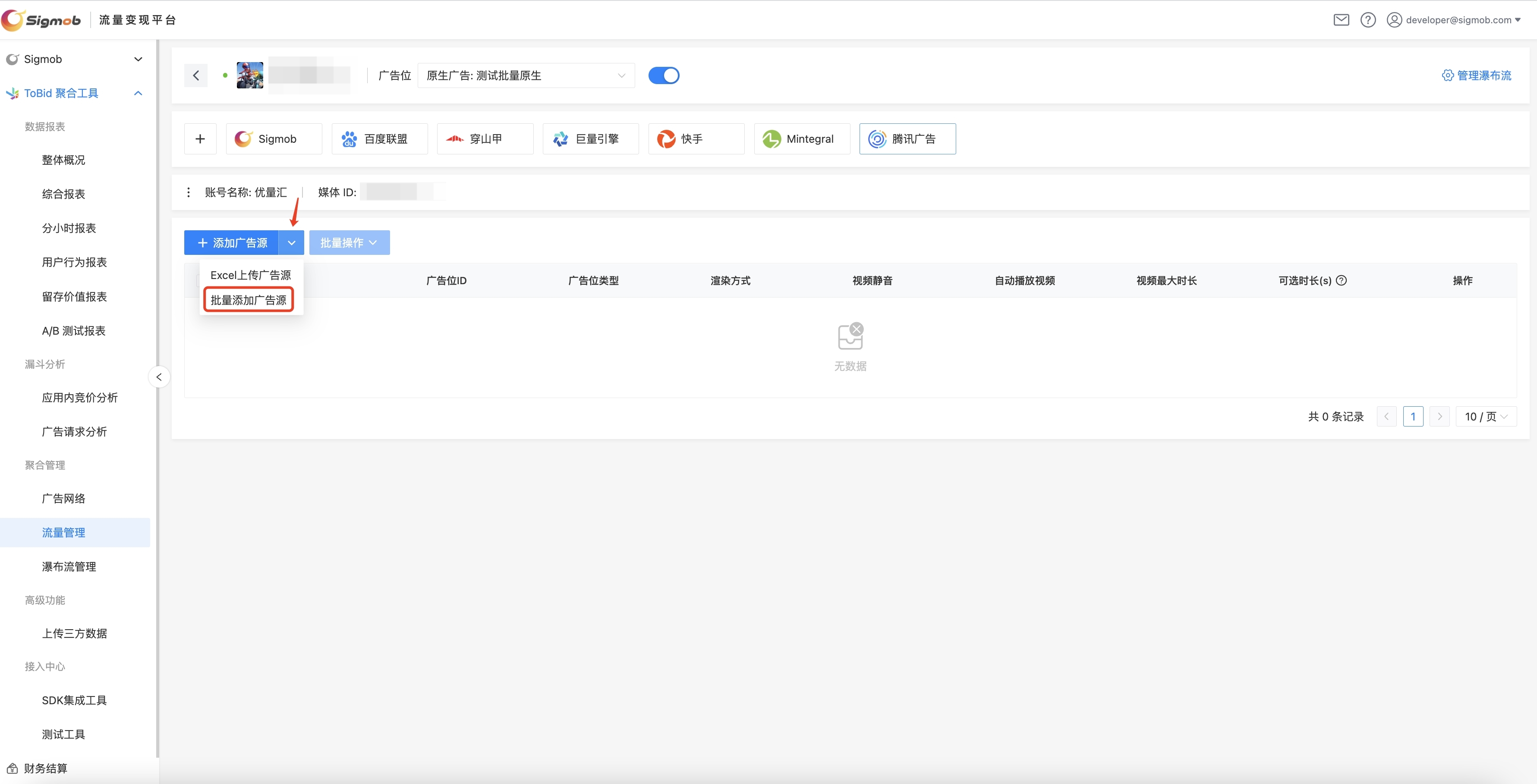
ToBid has 100% replicated the advertising placement creation pages of CSJ, Tencent, Kuaishou, Baidu and Mintegral, reducing the learning cost for developers and maximizing the satisfaction of independent selection and creation needs.
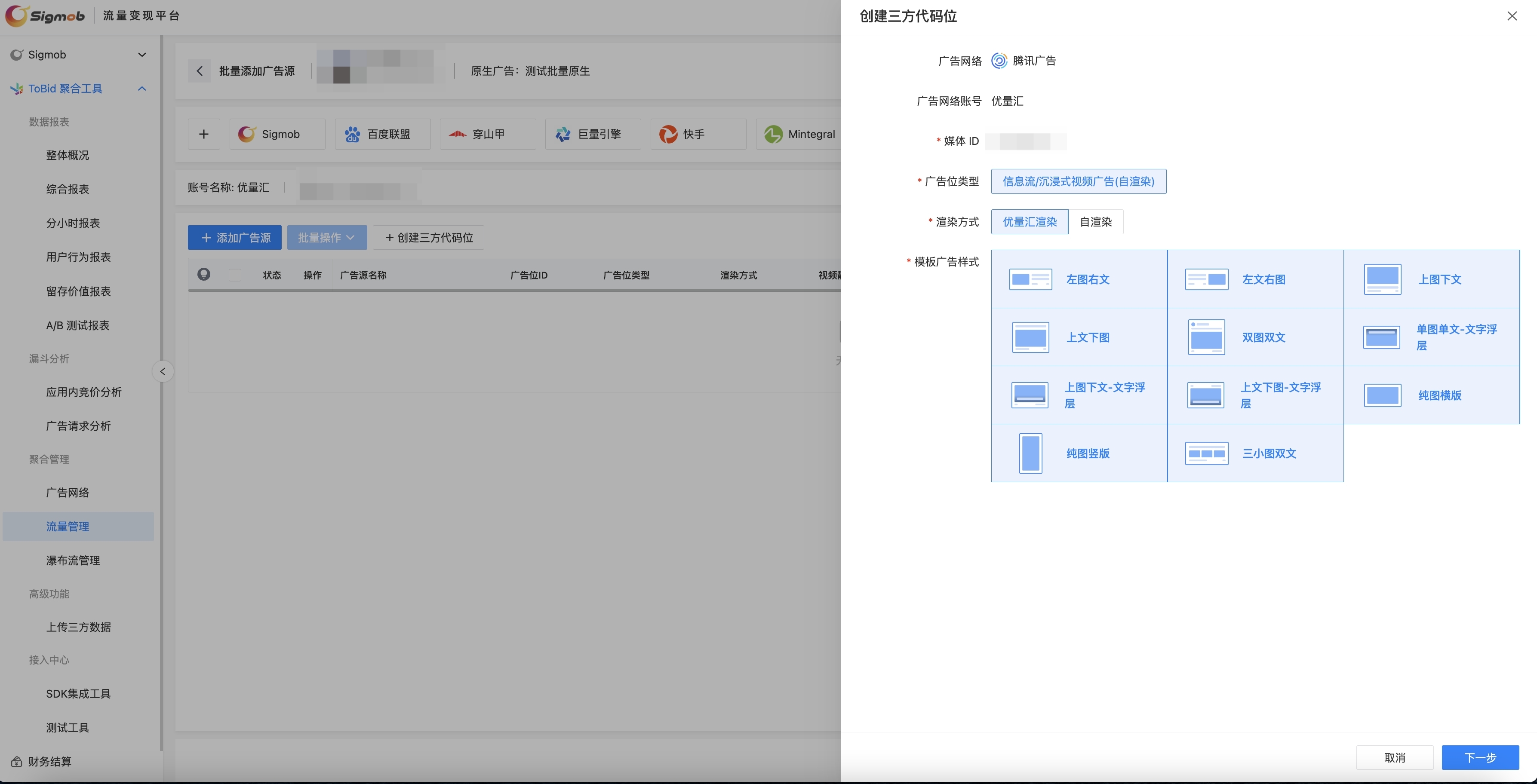
- After selecting the rendering mode and ad style, click "Next" to enter the ad placement floor price and bidding mode settings page.
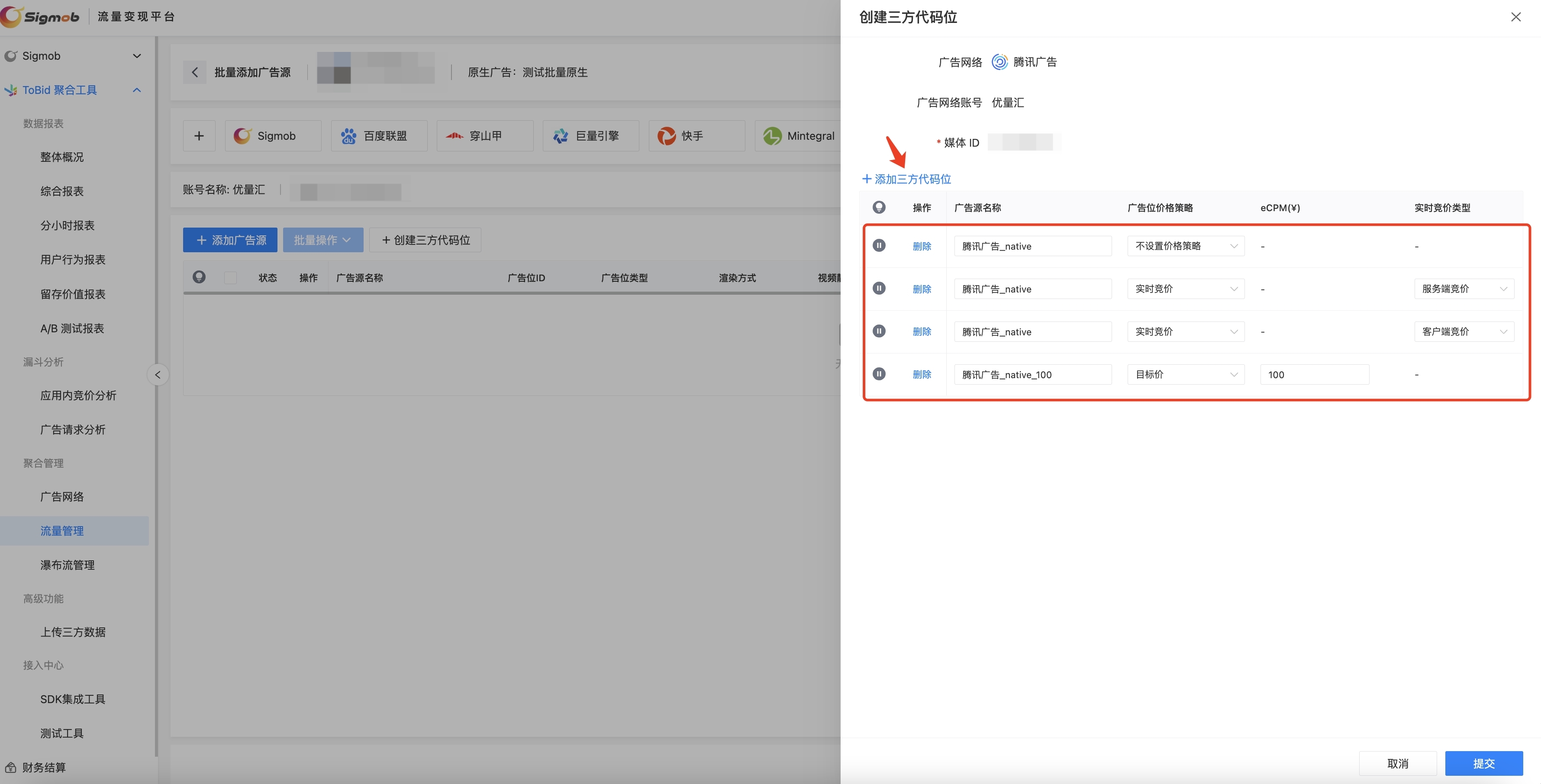
- After clicking "Submit", the parameters will be successfully created and bound to the ToBid platform.
Note: Generally speaking, the APIs of various platforms will verify if there are duplicate ad placement names under the current app. Therefore, when using the API to create ad placements, developers should ensure the uniqueness of the ad placement names as much as possible.
2.3 Creating a Single Third-Party Ad Placement
- On the waterfall page, click "Add Ad Source," and within the pop-up page, select "Create Third-Party Placement."
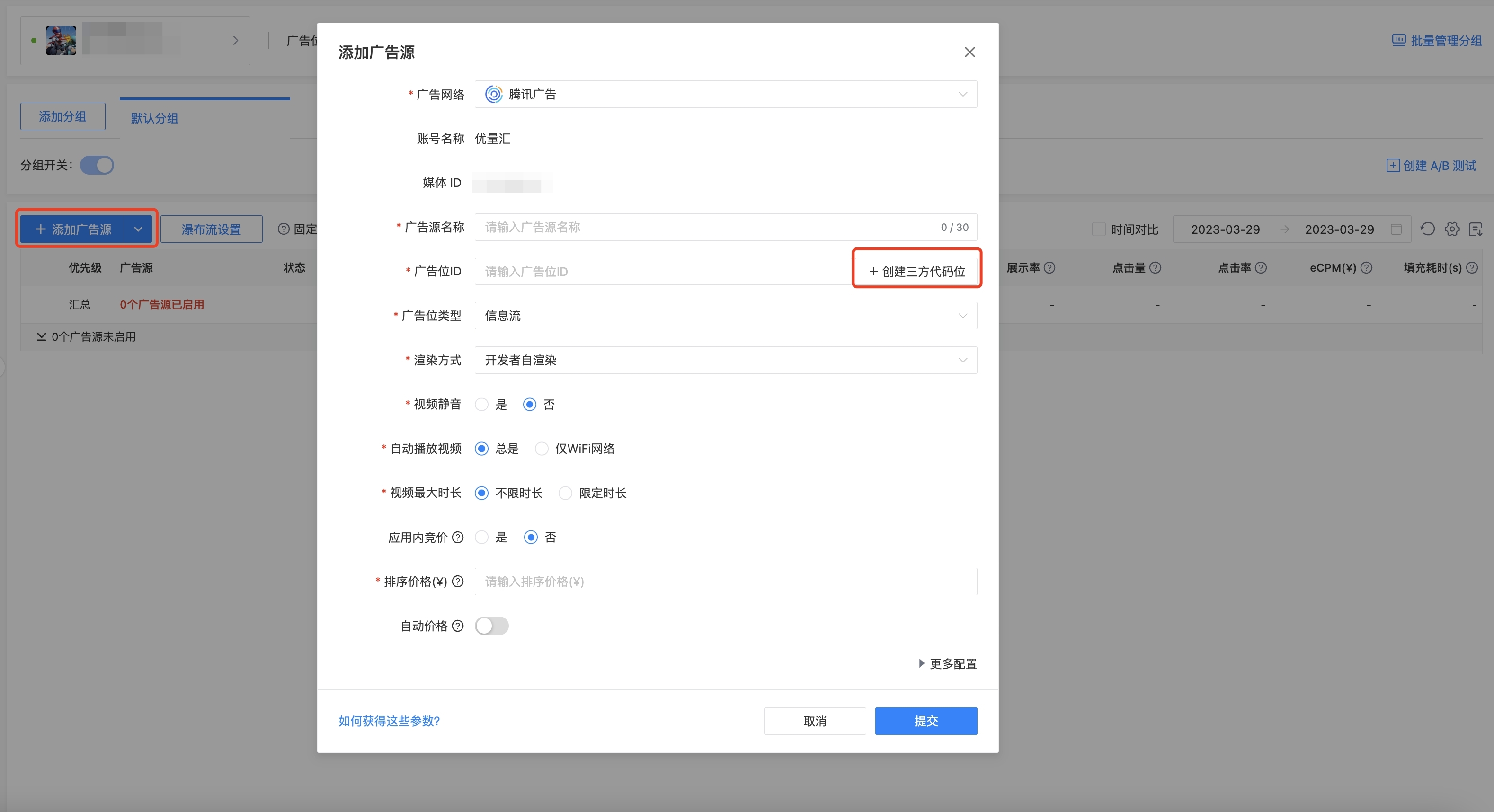
- Within the pop-up page, set the parameters such as ad placement name, detailed ad style rules, bidding mode, and click "Submit" to complete the process.
3. Smart Paste to Import Ad Sources
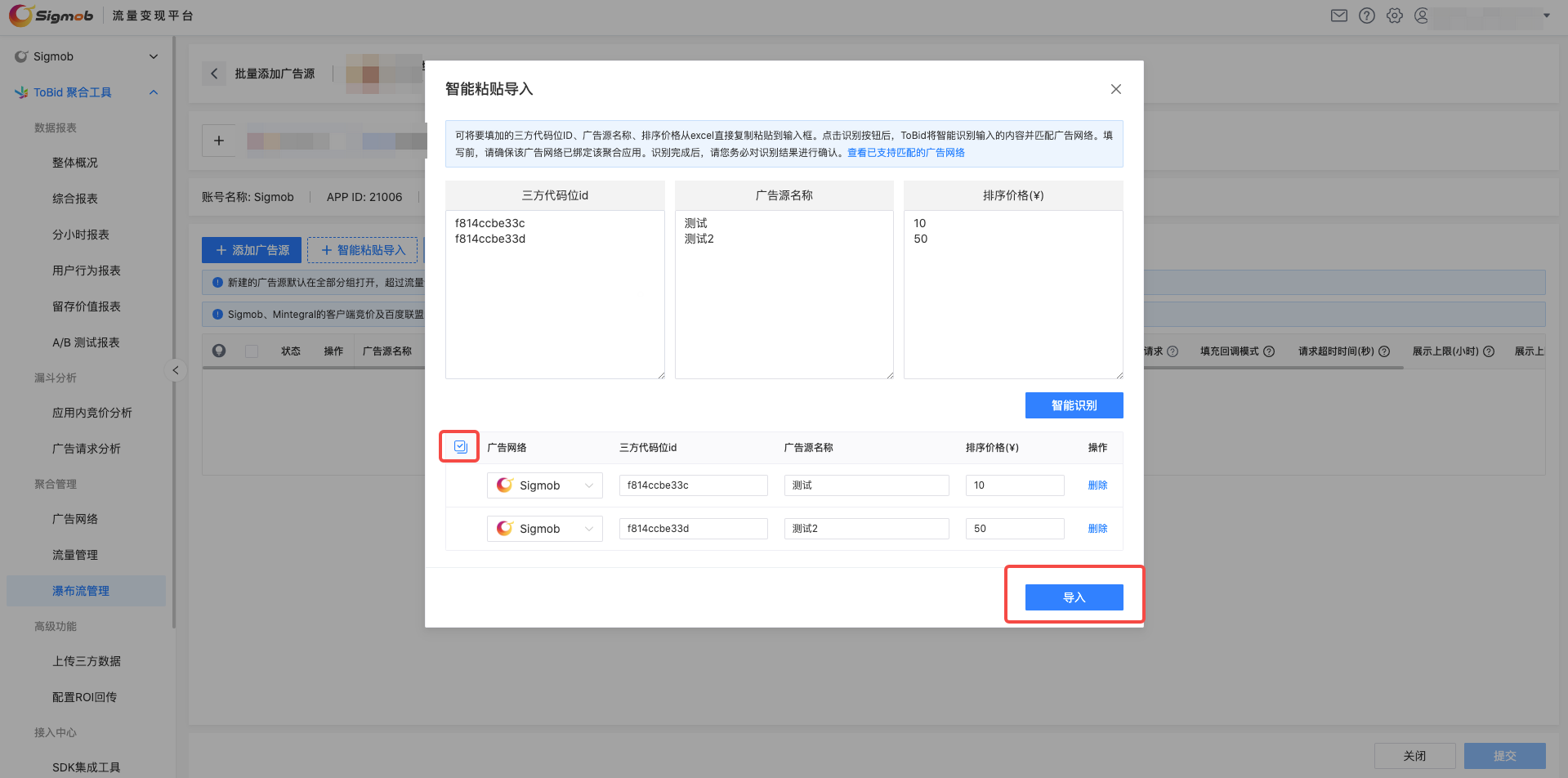
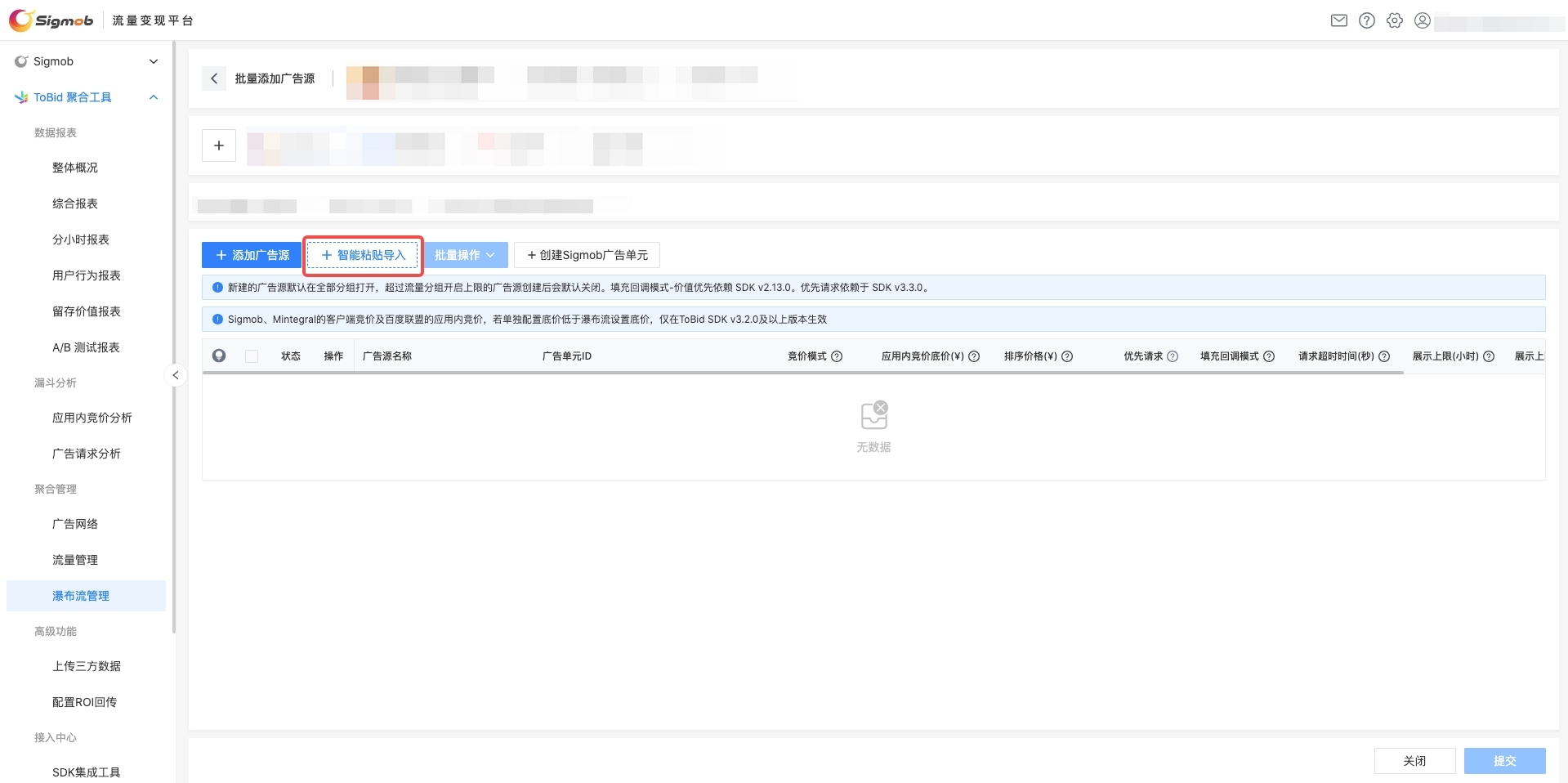
- On the batch creation page, click "+ Smart Paste to Import."
- On this page, you can directly copy and paste the third-party code placement IDs, ad source names, and bidding prices from an Excel file into the input boxes, and then click the "Recognize" button. You can also paste code placements from multiple channels simultaneously.
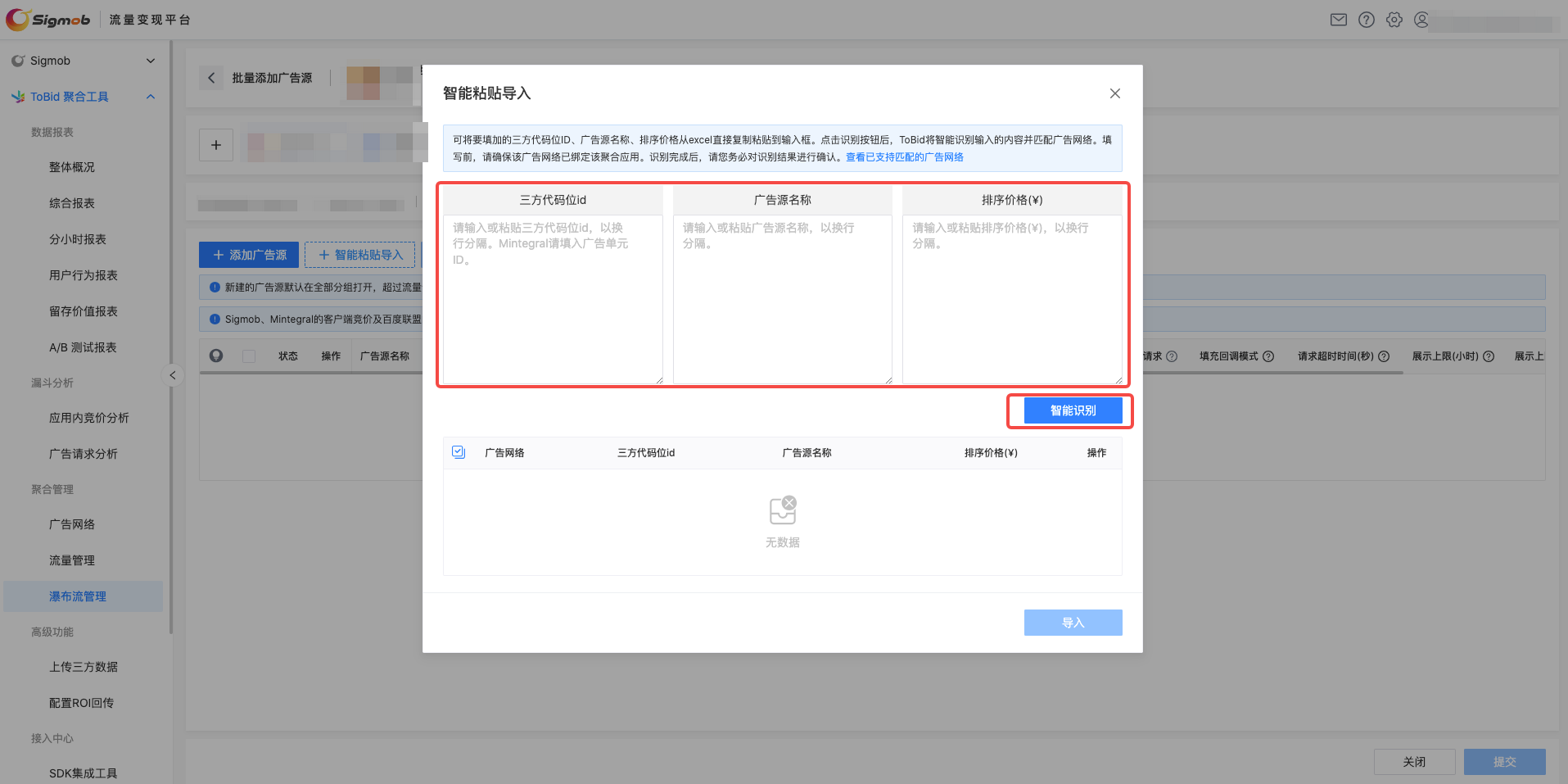
- ToBid will intelligently recognize which advertising network the code placement belongs to based on your input. Currently, it supports 9 advertising networks: Sigmob, CSJ, Gromore, Tencent, Mintegral, Kuaishou, Baidu, Admob, and Adscope. If your app is not bound to the corresponding channel, ToBid will not perform the recognition.
Please make sure to confirm the recognition results carefully. If you need to make adjustments, you can modify each entry individually or use the batch operation function.
After confirming that everything is correct, you can click the "Import" button, and the results will be imported to the batch creation page, where you can make further modifications to other content. If the advertising network field is empty, the corresponding code placement will be imported to the advertising network selected on the batch creation page.