A/B Test
1. What is A/B Test?
A/B Testing is a critical tool during the stable monetization phase of an application, seeking incremental growth opportunities. It allows you to randomly divide your audience into control and experimental groups in proportion, with each group experiencing independent strategy configurations. After conducting tests on both groups using data dashboards, you can make decisions based on the data to fully transition to either the control or experimental group, thereby enhancing overall monetization effectiveness.
2. Introduction to A/B Testing Functionality
ToBid supports the creation of A/B Tests within the same segment, allowing for A/B Testing specifically targeted at waterfall configurations.
3. Primary Use Cases and Recommended Key Metrics
| Common Test Content | Control Group (Group A) | Test Group (Group B) | Other Configurations Kept Consistent | Recommended Key Metrics |
|---|---|---|---|---|
| Will implementing in-app bidding lead to an overall increase in revenue? | waterfall | waterfall + in-app bidding | - ecpm, ranking, and ad network of ad sources in the waterfall model. -request mode - time out | ARPDAU |
| Can using parallel ad request mode reduce the request latency and increase the overall fill rate in the waterfall model? | Fixed quantity parallel/same price parallel. | Parallel ad request mode. | - ecpm, ranking, and ad network of ad sources in the waterfall model. - time out | Latency(sec.) fill rate ARPDAU |
| Will adding a specific ad network lead to an overall increase in revenue? | The original configuration. | The waterfall configuration with the addition of the new ad network. | - The configuration remains unchanged for all ad sources except for the addition of the new ad network. - request mode - time out | ARPDAU |
4. Platform Operation Guide
4.1 Create A/B Test
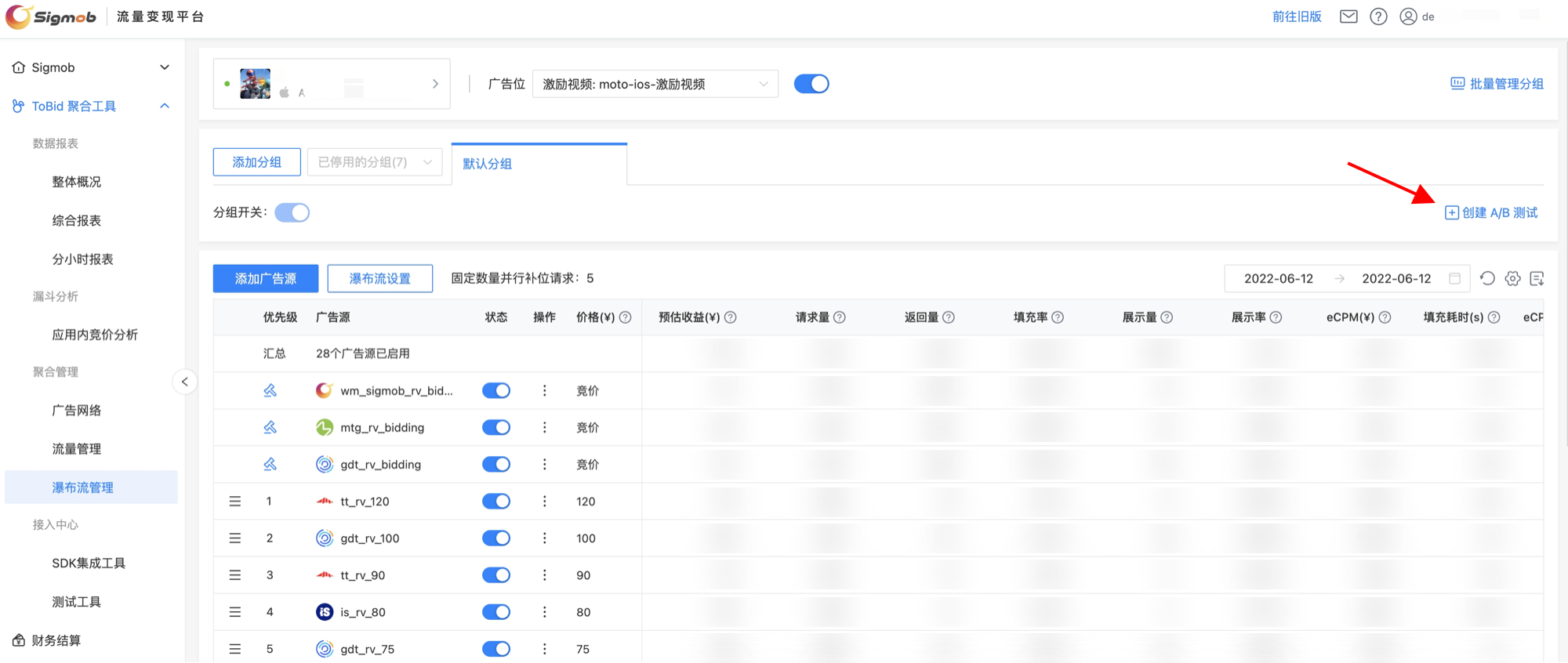
In the "Waterfall Management," select the APP and ToBid placement, then click "Create A/B Test" on the right side of the screen to create one.
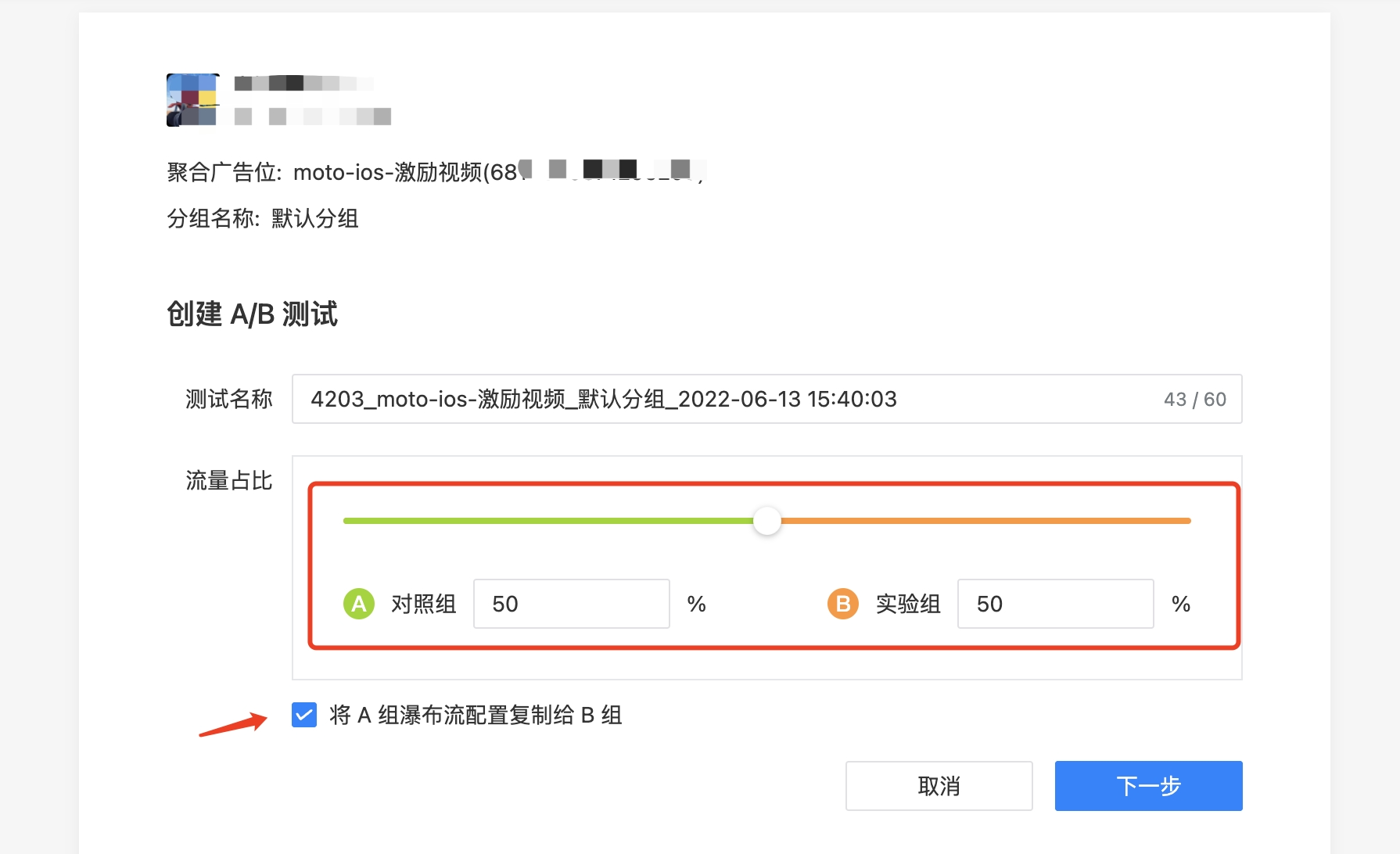
In the pop-up page, the default setting is that the control group and the experimental group account for 50% each, and the waterfall configuration of the control group (Group A) is copied to the experimental group (Group B).
4.2 Configure the waterfall attributes on the A/B Test settings page.
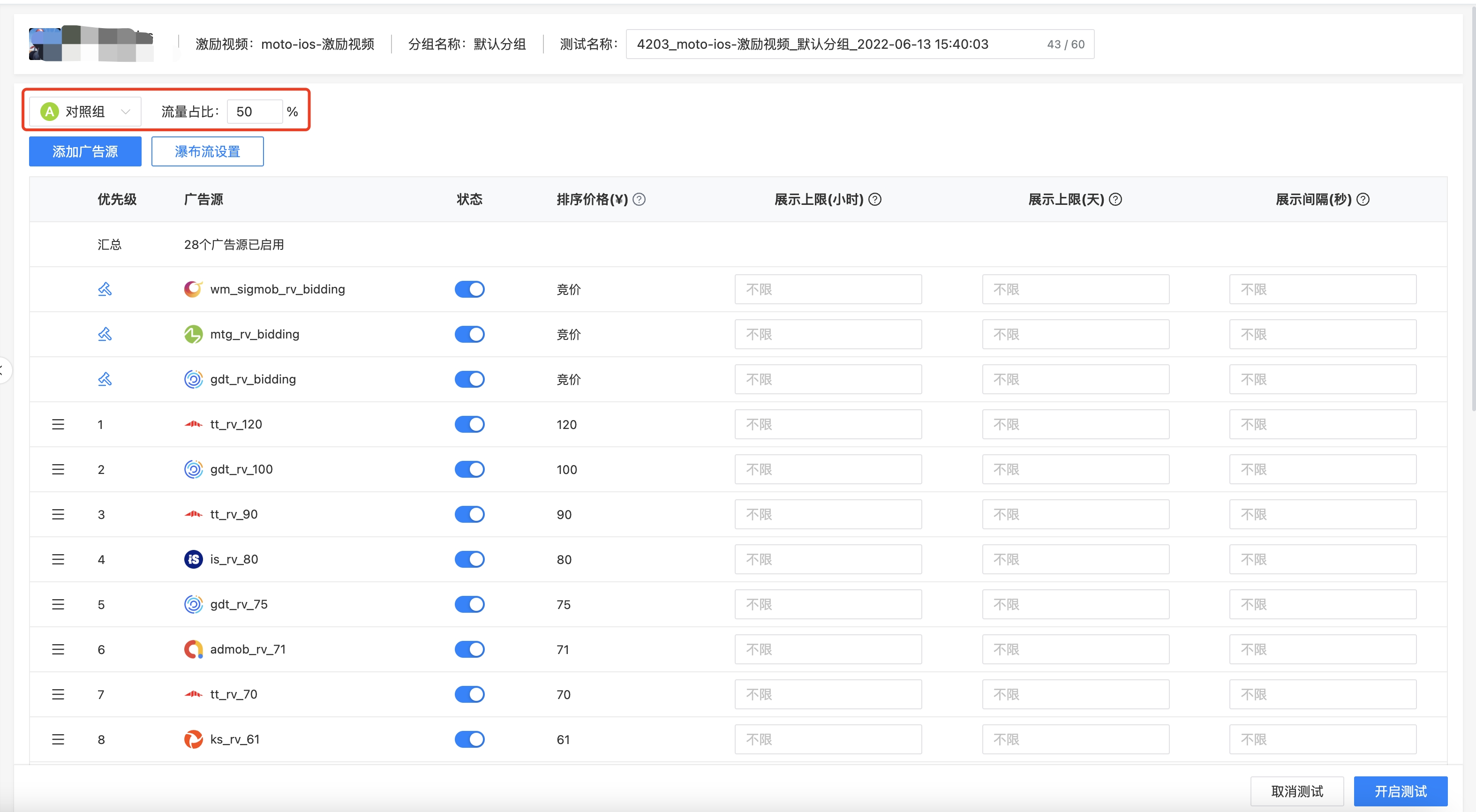
Click "Next" to enter the waterfall configuration page for A/B Test, where you can switch the traffic allocation, add ad sources, configure the waterfall request mode/timeout duration, and more.
4.3 Save A/B Test Draft
On the editing page for waterfall attributes, if you click "Cancel Test," a secondary confirmation panel will pop up. If the developer selects "Save Draft," the system will automatically save the editing information for this A/B Test.
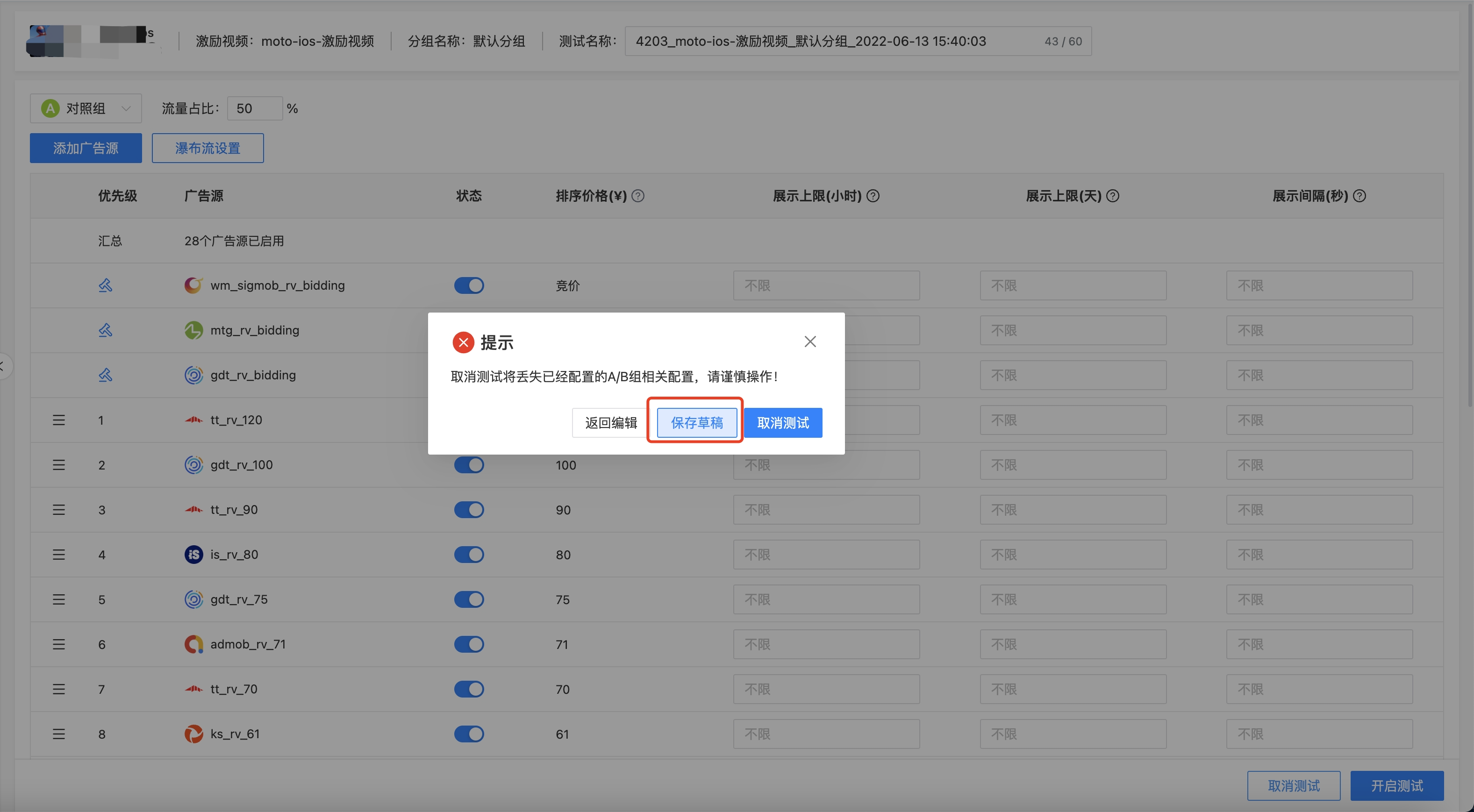
After selecting "Save Draft," the developer can go to the Waterfall Management page, select "Edit A/B Test" on the right side, and directly enter the waterfall configuration page for A/B Test to continue with the previous operations.
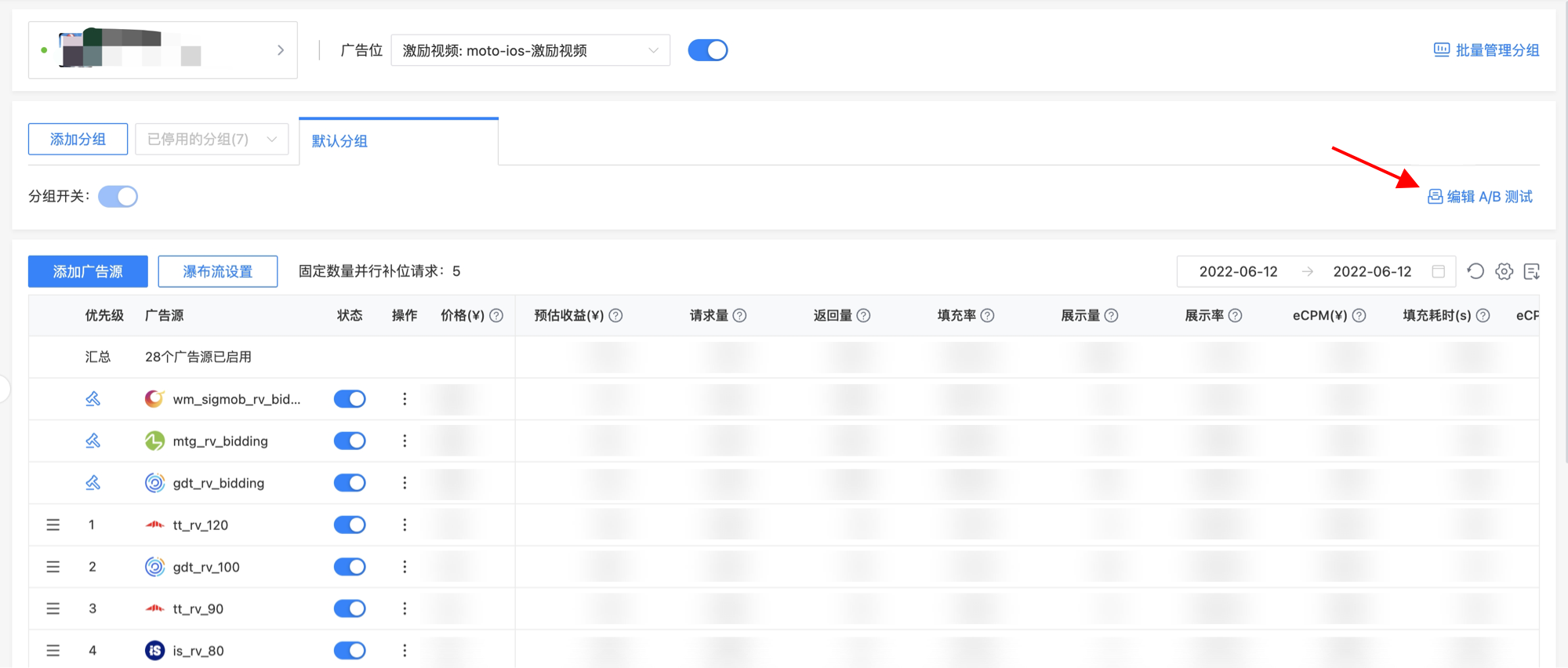
4.4 Start A/B Test
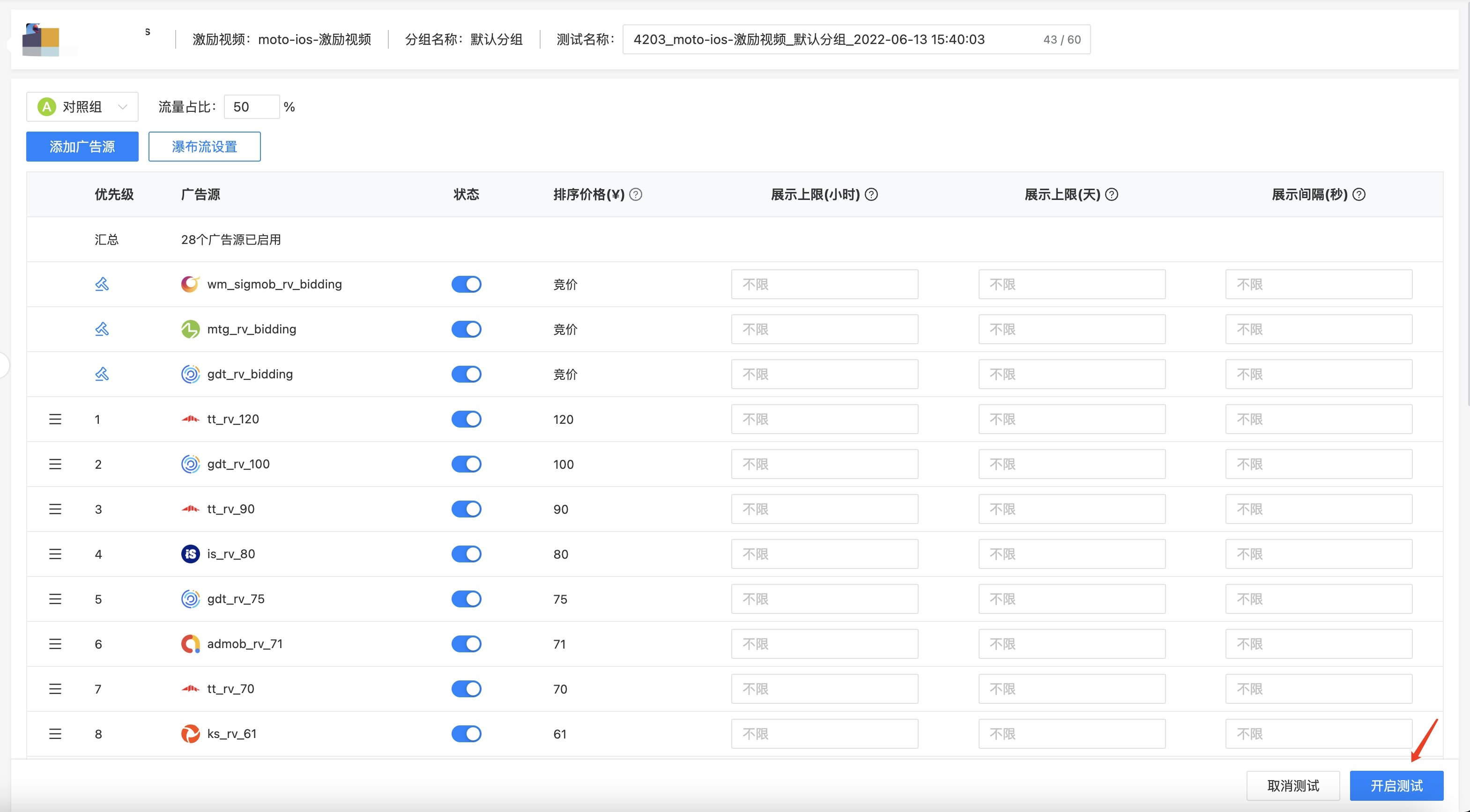
On the waterfall configuration page for A/B Test, click "Start Test" at the bottom, and the system will initiate this test. After starting the test, the server will logically categorize each individual device and randomly allocate the traffic to either the control group (Group A) or the experimental group (Group B).
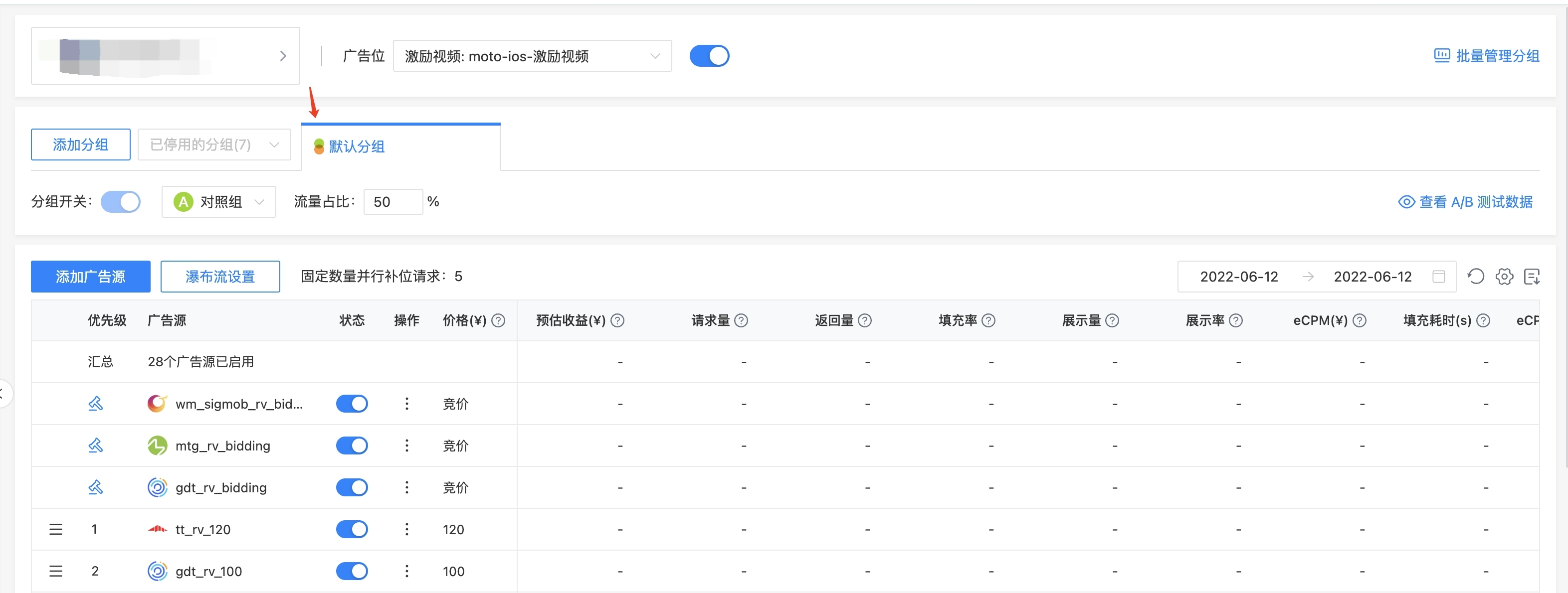
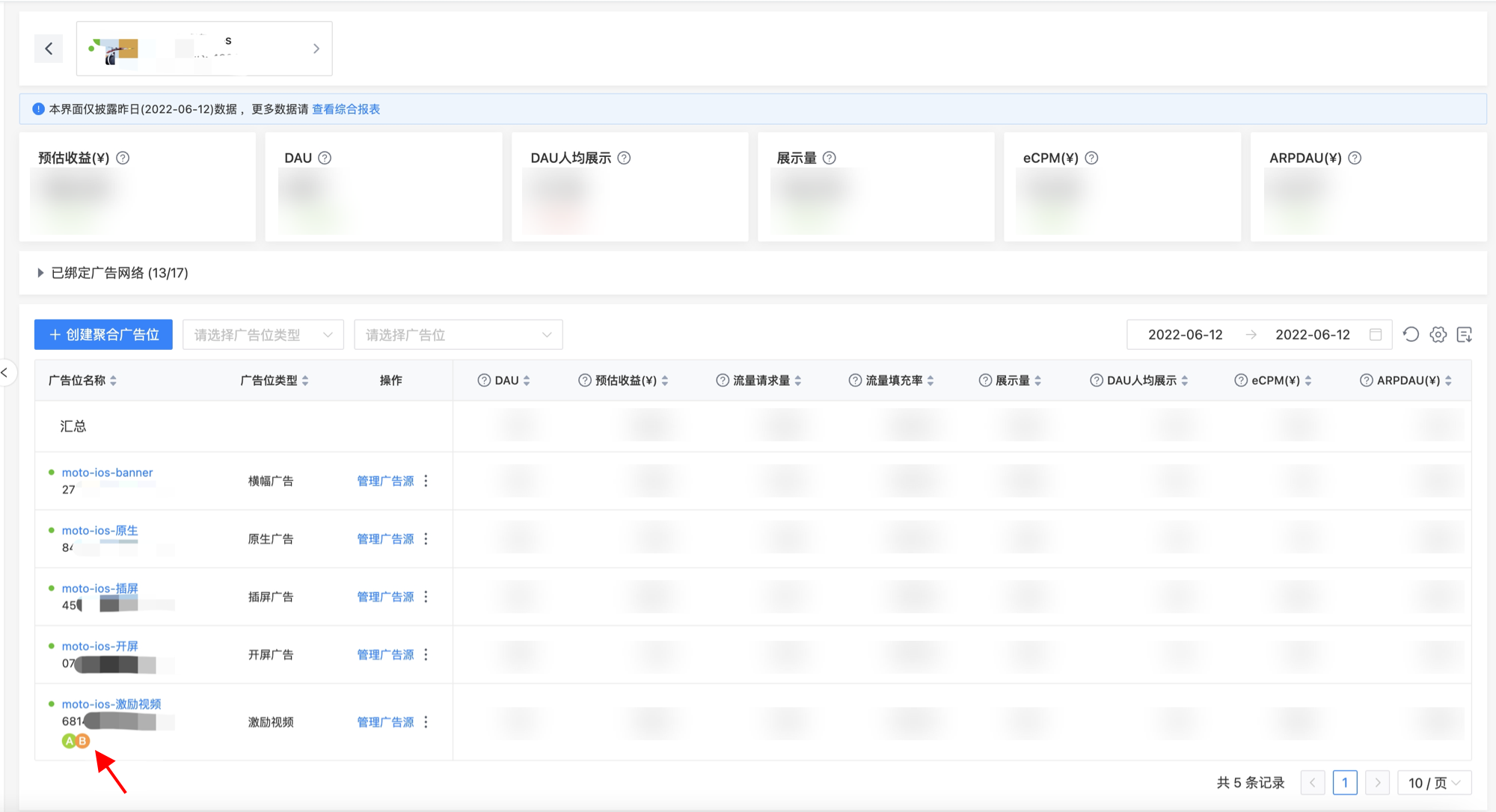
After enabling A/B Test, the system will display special icon markers on the traffic grouping labels and the aggregated ad slot list page to indicate that the current group/ad slot is running an A/B Test.
4.5 Analyze A/B Test Results
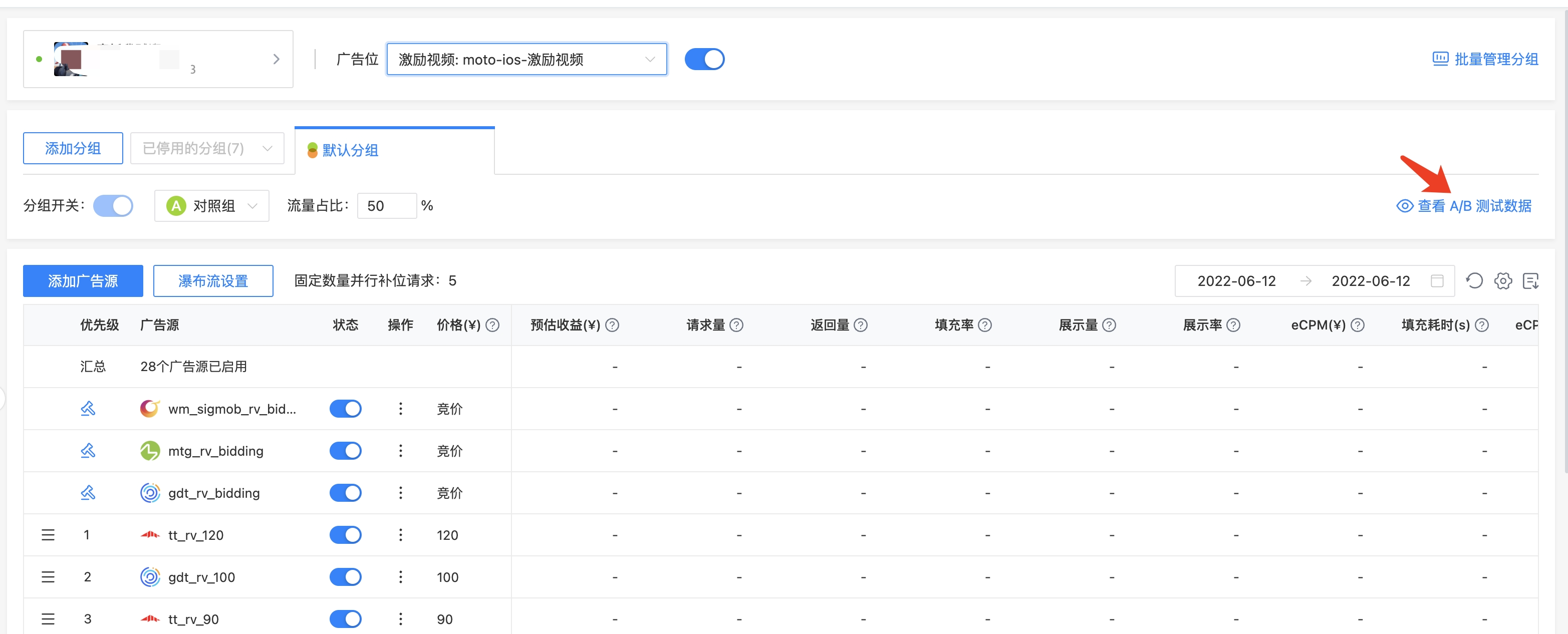
On the Waterfall Management page, click "View A/B Test Data" on the right side to view the statistical result data of the currently active A/B Test.
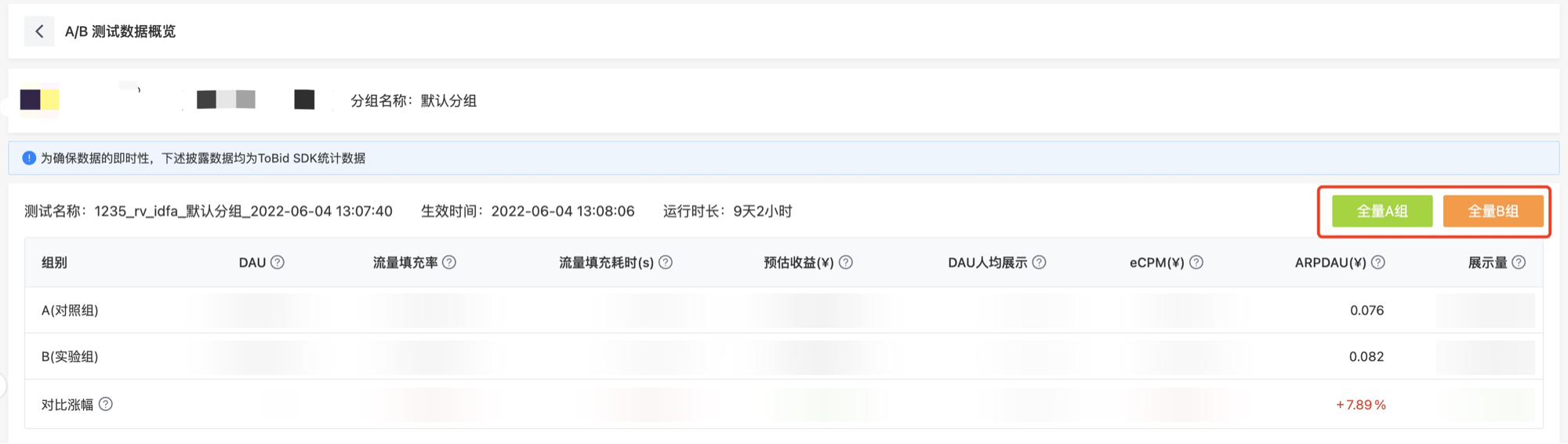
On the A/B Test data overview page, the system will disclose detailed data on key revenue indicators such as DAU, traffic fill rate, traffic fill duration, estimated revenue, average DAU impressions, eCPM, ARPDAU, and impressions for the control group (Group A) and experimental group (Group B). It will also provide a comparison of the growth rate of these indicators between the two groups. Developers can select the group for "full-scale" operation based on their actual business needs and click "Full-scale Group A" or "Full-scale Group B" for immediate effect.
5. FAQ
5.1 Can the parameters of third-party ad slots be reused?
Yes, ToBid relies on the SDK's tracking data to calculate estimated revenue, ARPDAU, and other indicators. Please ensure that the ranking price in the waterfall is consistent with the actual settlement price.
5.2 How long does it take for A/B Test to take effect after it is enabled?
The enabling and full-scale ending of A/B Test take effect immediately.
5.3 Why does the waterfall data disappear after enabling A/B Test?
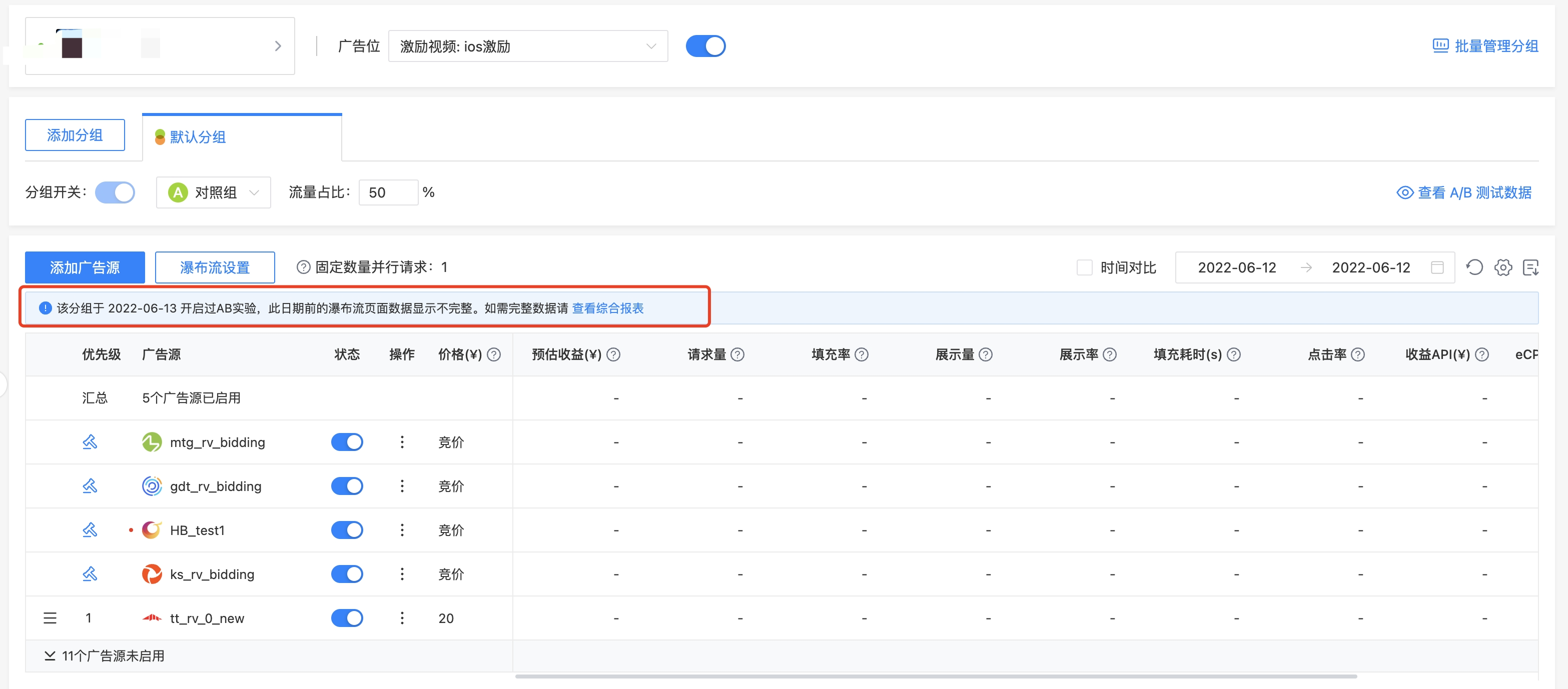
After enabling A/B Test for the waterfall, the system will automatically generate a new test ID to record the data results of each A/B Test. Therefore, after enabling/disabling the current A/B Test, the waterfall will no longer retain the data before this A/B Test, and will only disclose the data after the current A/B Test is enabled. You can view the detailed historical data in the "Daily Report".
5.4 If a user is assigned to Group A, will they remain in Group A?
- After enabling A/B Test, a random distribution of traffic will be performed once.
- The same user will be randomly grouped again when the traffic ratio is adjusted next time. If the traffic ratio remains unchanged after enabling the test, the same user will always be in the same group.
- In some specific cases, uninstalling and reinstalling the app may also trigger a new random grouping.